
Understanding Baby Monitor Range: How Far Can It Reach?


Welcome to BabyCareHub, your ultimate guide to navigating the incredible journey of parenthood! Feeling overwhelmed by the sheer volume of information out there? We understand. That's why we've created this comprehensive resource to help you confidently care for your little one. But first, let's tackle a crucial piece of baby gear: understanding baby monitor range. Discover how far your monitor can truly reach and ensure you're always connected to your precious baby. Read on to uncover the secrets to choosing the perfect monitor for your peace of mind.
- Baby Monitor Range Explained: Factors Affecting Transmission Distance
- Maximizing Baby Monitor Range: Practical Tips and Strategies
- Baby Monitor Range and Safety: Ensuring Clear Audio and Reliable Monitoring
- Different Types of Baby Monitors and Their Typical Ranges
- Baby Monitor Range FAQs: Addressing Common Concerns
- Choosing the Right Baby Monitor Based on Your Needs and Home Environment
- Frequently Asked Questions
- Final Reflection: The Unspoken Distance in Modern Parenthood
- Unleash the Power of Worry-Free Monitoring!
Baby Monitor Range Explained: Factors Affecting Transmission Distance
Choosing the right baby monitor is crucial for first-time parents, offering peace of mind and the ability to keep a watchful eye on your little one. A key consideration often overlooked is the range of the monitor – how far can it reliably transmit audio and video?
Understanding the factors that influence your baby monitor's range is essential for making an informed purchase and ensuring optimal performance. This comprehensive guide will delve into the intricacies of baby monitor range, explaining the technical aspects, common obstacles, and practical tips for maximizing your monitor's reach.
We'll explore how wireless frequencies, environmental factors, and strategic placement all contribute to a reliable connection, allowing you to confidently monitor your baby, even if you're a few rooms away or tending to other household tasks. By the end of this article, you'll possess the knowledge to choose a monitor with a suitable range for your home and understand how to optimize its performance for clear, consistent monitoring.
Understanding Wireless Frequencies and Their Impact on Range
The range of your baby monitor is primarily determined by the type of wireless frequency it uses. Most baby monitors operate on either DECT (Digital Enhanced Cordless Telecommunications) or 2.4 GHz WiFi/RF (Radio Frequency). DECT technology generally offers a longer range and better signal penetration through walls and obstacles compared to 2.4 GHz. However, 2.4 GHz monitors often include additional features like video streaming and remote access via smartphones.
The strength of the signal is also affected by the power output of the transmitter in the baby's room. Higher power output generally translates to a greater range, but this also means higher potential interference with other electronic devices. It's important to note that manufacturers often provide a theoretical range, which is rarely achievable under real-world conditions. This theoretical range often assumes an unobstructed line of sight, which is rarely the case in a typical home environment.
| Frequency Type | Typical Range (Theoretical) | Signal Penetration | Interference Potential | Common Features |
|---|---|---|---|---|
| DECT | Up to 500 feet (150 meters) 1 | Excellent | Low | Audio monitoring, clear sound |
| 2.4 GHz WiFi/RF | Up to 1000 feet (300 meters) 2 | Moderate | High | Audio and/or video monitoring, remote access, smart features |
1 Actual range may vary significantly.
2 Actual range may vary significantly and is often reduced by obstacles.
Obstacles Affecting Baby Monitor Signal Strength: Walls, Furniture, and Interference
Several factors can significantly impede your baby monitor's signal strength and reduce its effective range. The presence of walls, especially those made of dense materials like concrete or brick, considerably weakens the signal. Similarly, large pieces of furniture, metal objects, and even thick curtains can absorb or reflect radio waves, leading to signal degradation or complete signal loss.
Another major source of interference is the presence of other electronic devices operating on the same or similar frequencies. Wi-Fi routers, cordless phones, microwave ovens, and Bluetooth devices can all contribute to signal interference, resulting in static, dropouts, or a reduced range. The number and proximity of these interfering devices significantly impact the overall performance of your baby monitor. For example, a microwave operating on the 2.4 GHz frequency could completely disrupt the signal of a similarly operating baby monitor. This is why strategic placement is so crucial.
Optimizing Your Baby Monitor's Range: Placement and Troubleshooting Tips
To maximize your baby monitor's range and ensure reliable performance, consider these essential placement tips:
- Strategic Placement of the Parent Unit: Position the parent unit as centrally as possible within your home, minimizing the distance and the number of obstacles between it and the baby unit.
- Minimize Obstacles: Try to reduce the number of walls, large furniture items, and metal objects between the parent and baby units.
- Avoid Interference Sources: Keep the baby monitor away from other electronic devices such as Wi-Fi routers, microwaves, and cordless phones. Consider using a different frequency band if interference is persistent.
- Check for Firmware Updates: Regularly check for firmware updates from the manufacturer, as these often include improvements to signal strength and stability.
- Consider a Repeater (Extender): For larger homes or areas with significant signal challenges, consider using a signal repeater or extender to boost the range of your baby monitor. This can significantly increase the effective range, ensuring reliable monitoring even in distant parts of your home.
Remember, the actual range of your baby monitor will always be less than the advertised theoretical range. By understanding the factors that influence range and following these optimization tips, you can significantly improve the performance and reliability of your baby monitor, providing you with greater peace of mind. Always prioritize a strong, reliable connection over maximizing distance.
Maximizing Baby Monitor Range: Practical Tips and Strategies
Understanding your baby monitor's range is crucial for peace of mind. While manufacturers often state a maximum range, real-world performance can vary based on several factors. This section explores practical strategies to optimize your baby monitor's reach and ensure reliable monitoring, even in challenging environments. Optimizing your baby monitor's range isn't just about the technology; it's about understanding and mitigating environmental interference. This will ensure you consistently receive a clear signal, allowing you to keep a watchful eye on your little one.
Choosing the Right Baby Monitor Technology for Optimal Range: DECT vs. WiFi vs. Analog
The technology underpinning your baby monitor significantly impacts its range. Let's compare three common types:
- Digital Enhanced Cordless Telecommunications (DECT): DECT monitors offer a good balance between range and security. They typically boast a range of up to 1000 feet in open spaces, though walls and other obstacles can significantly reduce this. DECT utilizes a dedicated frequency, minimizing interference from other household electronics. This makes them a reliable choice for many parents. They are also known for their excellent audio quality.
- Wi-Fi Baby Monitors: Wi-Fi monitors offer the potential for the longest range, often extending to the limits of your home's Wi-Fi network. However, this depends entirely on the strength and reach of your router. A strong, well-placed router is essential for optimal performance. Furthermore, Wi-Fi monitors are susceptible to interference from other Wi-Fi devices and network congestion. Data security is also a concern with Wi-Fi monitors, requiring careful consideration of network security protocols.
- Analog Baby Monitors: Analog monitors generally have the shortest range, typically around 500 feet in ideal conditions. They are susceptible to interference from other electronic devices operating on the same frequency, leading to static or dropouts. Although simpler and often cheaper, their limited range and vulnerability to interference make them less desirable for many parents. The audio quality can also be inferior to DECT and Wi-Fi options.
The table below summarizes the key differences:
| Technology | Typical Range (open space) | Interference Susceptibility | Audio Quality | Security |
|---|---|---|---|---|
| DECT | Up to 1000 feet | Low | Excellent | Good |
| Wi-Fi | Variable (dependent on router) | Moderate to High | Good to Excellent | Moderate to Low (depending on setup) |
| Analog | Up to 500 feet | High | Fair to Good | Low |
Choosing the right technology involves weighing range requirements against factors like interference, security, and budget.
Extending Baby Monitor Range with Range Extenders and Repeaters
If you're experiencing a limited range with your current baby monitor, several solutions can extend its reach. Range extenders and repeaters act as signal boosters, relaying the signal between the parent unit and the baby unit.
- Wi-Fi Range Extenders: For Wi-Fi monitors, a strategically placed Wi-Fi extender can significantly expand the network's coverage, thus boosting the baby monitor's range. Proper placement is key to maximizing effectiveness. Consider placing the extender midway between the baby unit and the parent unit, avoiding obstructions.
- DECT Repeaters: While less common than Wi-Fi extenders, some DECT baby monitors are compatible with repeaters. These devices act as intermediaries, strengthening the DECT signal and extending the effective range. Check the specifications of your DECT monitor to see if it supports repeaters.
- Mesh Wi-Fi Systems: If you frequently encounter range issues across your home, a mesh Wi-Fi system can be a valuable investment. These systems create a seamless network across multiple nodes, ensuring strong coverage throughout your house, benefiting not only your baby monitor but also other Wi-Fi devices.
Careful placement of these devices is essential. Experiment with different locations to find the optimal position for maximizing signal strength and minimizing interference. Obstructions like walls, furniture, and appliances can significantly affect the signal.
Troubleshooting Poor Baby Monitor Range: Identifying and Solving Common Issues
Even with the best technology, several factors can compromise baby monitor range. This section explores common issues and their solutions:
- Interference: Other electronic devices, especially those operating on similar frequencies, can interfere with your baby monitor's signal. Identify potential sources of interference (cordless phones, microwaves, Bluetooth devices) and try moving them away from the baby monitor. Switching to a different frequency channel (if possible) can also help.
- Obstructions: Walls, furniture, and appliances absorb and reflect radio waves, reducing the signal strength. Try to minimize obstructions between the baby unit and the parent unit. Consider using a baby monitor with a stronger signal penetration capability.
- Distance: Even with minimal interference and obstructions, exceeding the maximum range of your monitor will inevitably lead to poor performance. If the distance is too great, consider using a range extender or repeater, or upgrading to a monitor with a longer range.
- Battery Life: Low battery life on either the parent or baby unit can also affect performance. Ensure both units are adequately charged.
- Software Issues: For Wi-Fi monitors, ensure your router's firmware is up-to-date and that the monitor's software is also current. Restarting both the monitor and the router can sometimes resolve minor software glitches.
Addressing these issues systematically can help improve your baby monitor's range and reliability. Remember, consistent monitoring is paramount for your peace of mind. If problems persist after troubleshooting, consider contacting the manufacturer for support.
Baby Monitor Range and Safety: Ensuring Clear Audio and Reliable Monitoring
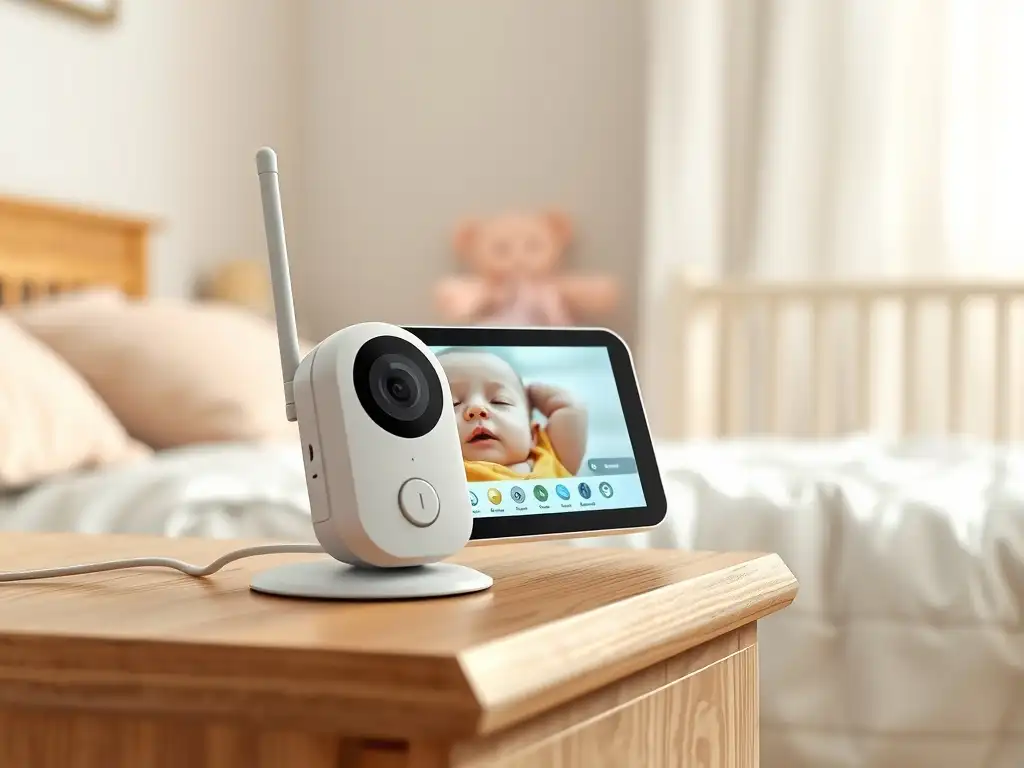
Understanding your baby monitor's range is crucial for ensuring the safety and well-being of your little one. A reliable connection translates to peace of mind, allowing you to move freely around your home while still keeping a close ear on your baby. However, simply knowing the manufacturer's stated range isn't enough. Many factors influence actual performance, leading to variations in signal strength and audio clarity. This section will delve into these factors and offer practical tips to optimize your baby monitor's range.
Maintaining Optimal Baby Monitor Range for Peace of Mind
Several factors can affect your baby monitor's range, impacting the quality of audio transmission. These include:
- Interference: Wireless signals, like those from microwaves, cordless phones, and Wi-Fi routers, can interfere with your baby monitor's signal, causing dropouts or static. The closer these devices are to your monitor, the greater the potential for interference. Experiment with placement to find the optimal position for minimal interference. For example, placing your baby monitor away from large appliances may significantly improve reception.
- Environmental Obstacles: Walls, furniture, and even large metal objects can weaken the signal. Solid materials absorb radio waves, reducing the effective range. Thick concrete walls are particularly problematic. Consider the building materials in your home when assessing the monitor's potential range.
- Frequency: Different baby monitors operate on different frequencies (e.g., 2.4 GHz, 900 MHz). Some frequencies are more susceptible to interference than others. Choosing a monitor operating on a less congested frequency can enhance its range and reliability. Check the specifications before purchasing.
- Monitor Type: The type of baby monitor (analog, digital, video) also affects range. Digital monitors, while offering superior security and features, might not always have the longest range compared to some analog models. This is due to the different transmission technologies employed.
- Signal Strength Indicators: Many modern baby monitors include signal strength indicators (often visually represented by bars or lights). Pay close attention to these indicators. A weak signal suggests you need to move closer or address potential interference.
Optimizing the range involves strategic placement, identifying and mitigating interference sources, and selecting a monitor with features suited to your home environment. Remember, consistent monitoring is paramount, so understanding these limitations is crucial.
The Importance of Regular Baby Monitor Maintenance for Consistent Performance
Regular maintenance is key to ensuring your baby monitor performs optimally and maintains a consistent range. Neglecting maintenance can lead to reduced range, poor audio quality, and ultimately, compromise the reliability of the device. Here's what you should do:
- Clean the Unit: Dust and debris can accumulate on the monitor's components, affecting signal transmission. Regularly clean both the parent and baby units with a soft, dry cloth. Avoid using harsh chemicals or abrasive cleaners.
- Check Battery Life (for cordless models): Weak batteries can significantly reduce the range and performance of a cordless baby monitor. Ensure you're using fresh batteries, and if rechargeable, charge them regularly. Consider purchasing extra batteries to ensure continuous monitoring.
- Update Firmware (if applicable): Some baby monitors offer firmware updates that can improve performance, including range and audio quality. Check the manufacturer's website for updates and follow the instructions carefully.
- Test the Connection Regularly: Periodically test the connection by moving to different locations within your home and monitoring the signal strength. This helps identify potential issues early on. A regular test at the furthest point you intend to use the monitor can help avoid a surprise weak signal when needed.
- Replace Damaged Units: If your baby monitor shows signs of physical damage (cracks, dents), or if the audio is consistently poor despite maintenance, consider replacing it. A malfunctioning monitor could lead to missed alerts and compromise your baby's safety.
Remember, a baby monitor is a crucial piece of equipment for new parents. By understanding the factors that influence range and performing regular maintenance, you can ensure you have clear audio and reliable monitoring, providing peace of mind and contributing to a safer environment for your baby. 👶
Different Types of Baby Monitors and Their Typical Ranges
Understanding the range of your baby monitor is crucial for peace of mind. The distance a monitor can transmit audio and/or video depends significantly on the type of monitor and the environment. Let's explore the typical ranges for different types of baby monitors, keeping in mind that these are estimates and real-world performance can vary. Factors like interference (from other electronic devices, walls, and even weather) can significantly impact transmission distance. This section will help you understand the nuances of "baby monitor range explained" for each category.
Video Baby Monitors: Range and Image Quality Considerations
Video baby monitors offer the advantage of visual monitoring, allowing you to see your baby. However, this increased functionality often comes with a trade-off in range. High-definition video requires a stronger signal, potentially limiting the transmission distance compared to audio-only monitors.
Typical ranges for video baby monitors vary greatly, ranging from 500 feet to over 1000 feet in optimal conditions. However, factors like the presence of thick walls, large metal objects (like refrigerators), and interference from other Wi-Fi devices can drastically reduce this range. Consider these points:
- Image quality: Higher resolution video (e.g., 720p or 1080p) generally means a shorter range. Lower resolution video tends to have a longer reach, as it requires less bandwidth.
- Signal strength: The strength of the signal transmitted between the camera and the parent unit is vital. A stronger signal generally equates to a longer range.
- Environmental factors: Obstacles like walls, furniture, and other electronic devices can weaken the signal and reduce the effective range. Exterior walls and large bodies of water will significantly impact range.
- Frequency: The frequency used (2.4 GHz or 5 GHz) influences range. 2.4 GHz generally offers better range but might suffer more from interference. 5 GHz provides higher speed but less range.
We need additional data on the average range for different video baby monitor brands and their respective resolutions. [Specific data pending on average ranges for popular video baby monitor brands].
Audio-Only Baby Monitors: Factors Influencing Transmission Distance
Audio-only baby monitors prioritize long-range transmission and often boast impressive ranges, sometimes exceeding 1500 feet in ideal conditions. These monitors generally utilize a simpler technology compared to video monitors, requiring less bandwidth and being less susceptible to interference from other devices.
However, even audio-only monitors are affected by environmental factors. Thick walls, multiple floors, and large metal appliances can all attenuate the signal, reducing the effective range.
Factors affecting the range of audio-only baby monitors include:
- Transmission frequency: The frequency band used for transmission impacts range and susceptibility to interference. Different frequencies are affected differently by various obstacles.
- Signal strength: The power of the transmitter in the baby's room directly affects the range.
- Interference: Other electronic devices operating on similar frequencies can interfere with the signal, reducing the range and potentially causing static or dropouts. This is especially true in densely populated areas with many Wi-Fi networks.
- Environmental obstacles: The material and thickness of walls, the presence of large metal objects, and even weather conditions can affect signal strength and range. This is a key element in understanding "baby monitor range explained".
While many audio-only monitors advertise impressive ranges, it's crucial to test the range in your specific home environment before relying on it completely.
Smart Baby Monitors and App Connectivity: Range and Network Dependency
Smart baby monitors leverage Wi-Fi or cellular data for connectivity, allowing for remote monitoring via a smartphone app. While offering features like remote viewing, two-way communication, and even lullabies, their range is entirely dependent on the strength and reliability of your home Wi-Fi network or your cellular data connection.
The range of a smart baby monitor is therefore not a fixed distance but rather the extent of your Wi-Fi network coverage. This can vary significantly depending on your router's placement, the number of walls and obstacles, and the overall quality of your internet connection. A strong, stable Wi-Fi connection is critical for uninterrupted monitoring.
Considerations for smart baby monitors:
- Wi-Fi network strength: A weak Wi-Fi signal will lead to poor performance, including video dropouts, audio delays, and even complete disconnections.
- Internet connectivity: Reliable internet access is essential for remote monitoring. Interruptions in your internet service will impact the functionality of the monitor.
- App stability: The performance of the accompanying smartphone app plays a significant role in the overall user experience. A buggy or poorly designed app can negate the advantages of a good monitor.
- Data usage: Using cellular data for remote monitoring can lead to significant data charges. Check your data plan before relying on this feature consistently.
Understanding the nuances of "baby monitor range explained" for smart monitors requires a careful consideration of your home network infrastructure. A strong, reliable Wi-Fi network is paramount for optimal performance.
Baby Monitor Range FAQs: Addressing Common Concerns
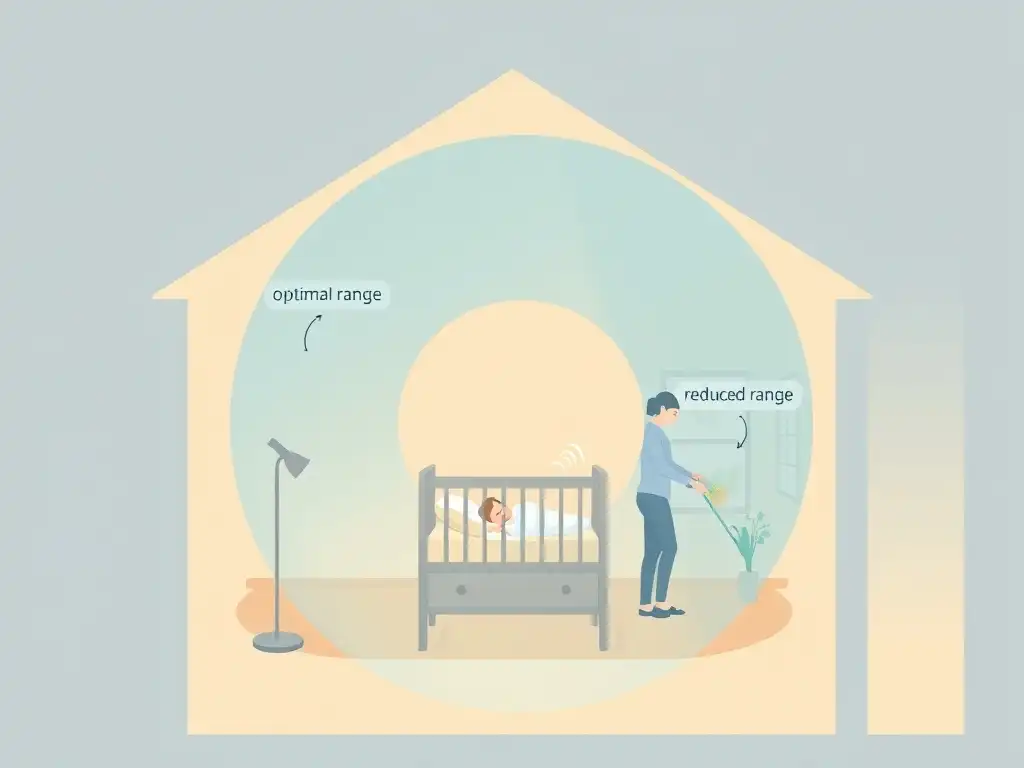
This section dives into frequently asked questions about baby monitor range, providing you with the knowledge to make informed decisions about monitoring your little one. Understanding the limitations and capabilities of your chosen monitor is crucial for peace of mind. We'll explore typical ranges, range-extending techniques, and important safety considerations related to signal strength and monitoring distance.
What is the average range of a baby monitor?
The average range of a baby monitor significantly varies depending on the technology used. Traditional analog baby monitors typically boast a range of around 1000 feet in open spaces. However, this range is drastically reduced by physical obstructions like walls, furniture, and even weather conditions. Think of it like this: a solid brick wall might cut the range in half, while multiple floors in a house can reduce it to a mere fraction.
Digital baby monitors, particularly those using DECT (Digital Enhanced Cordless Telecommunications) technology, generally offer a greater range, often exceeding 1500 feet in optimal conditions. However, interference from other electronic devices (Wi-Fi routers, microwaves, cordless phones) can significantly impact the signal, leading to dropouts or static. Some newer models incorporating Wi-Fi capabilities advertise even longer ranges, sometimes extending to several miles, but these are highly dependent on the strength and stability of your home Wi-Fi network and the absence of interference.
Here's a table summarizing the typical ranges:
| Monitor Type | Typical Range (Open Space) | Factors Affecting Range |
|---|---|---|
| Analog | ~1000 feet | Walls, furniture, weather, interference |
| Digital (DECT) | ~1500+ feet | Walls, furniture, other electronic devices |
| Wi-Fi Enabled | Variable (often >1 mile) | Wi-Fi network strength, interference, distance from router |
It's crucial to remember that these are ideal ranges. In a typical home environment with various obstacles, expect a considerably shorter effective range. Always test your monitor's range in your specific home environment before relying on it for nighttime monitoring.
How can I improve the range of my existing baby monitor?
Extending the range of your baby monitor often involves minimizing interference and optimizing signal strength. Several strategies can help:
- Reduce Interference: Move your baby monitor away from other electronic devices like microwaves, cordless phones, and Wi-Fi routers. These devices operate on similar frequencies and can cause significant interference. Consider using a different power outlet for your baby monitor to minimize electrical interference.
- Optimize Placement: Ensure a clear line of sight between the parent unit and the baby unit as much as possible. While not always feasible, reducing the number of walls and other obstructions between the two units can significantly improve the signal strength.
- Use a Range Extender (for Wi-Fi Monitors): If using a Wi-Fi baby monitor and experiencing range issues, a Wi-Fi range extender can prove beneficial. Position the extender strategically to boost the signal in areas with weak coverage.
- Consider a Different Monitor: If range continues to be a significant issue, consider investing in a baby monitor with a longer stated range or different technology (e.g., DECT instead of analog).
Remember to always test the range after implementing these strategies to ensure an optimal monitoring experience. Consistent monitoring is paramount, and any steps to improve reliability are worthwhile.
While a longer range might seem desirable, it's essential to remember that signal strength doesn't equate to safety. A weak signal leading to dropouts or static can be more problematic than a shorter, but reliable, range. Prioritizing a stable connection is crucial, even if it means a slightly reduced range.
Furthermore, the longer the range, the greater the potential for interference from external sources. This could lead to false alarms or missed transmissions. Always prioritize a reliable connection over maximizing the distance of your baby monitor. Regularly test your monitor's range and performance to ensure it functions correctly and provides a secure monitoring experience. Consider purchasing a monitor with features that alert you to weak signal strength or connectivity issues. 👶 A reliable, stable connection is far more important than a theoretically long range.
Choosing the Right Baby Monitor Based on Your Needs and Home Environment
Understanding your home's layout and your specific needs is crucial when choosing a baby monitor with the appropriate range. Simply looking at the advertised range—often expressed in feet or meters—isn't enough. Signal strength is affected by numerous factors, and choosing the right monitor involves careful consideration of these variables. A seemingly ample range might be significantly reduced in a home with thick walls, multiple floors, or interference from other electronic devices. This section will delve into the practicalities of selecting a monitor that reliably covers your needs.
Assessing Your Home's Layout and Potential Signal Obstructions
Before purchasing any baby monitor, meticulously assess your home's structure. Consider these key aspects:
- Number of floors: A multi-story home will require a monitor with a stronger signal than a single-story home. Signal strength degrades significantly when passing through floors and ceilings, especially those made of concrete or brick. Consider the vertical distance between the baby's room and the location where you'll be using the parent unit.
- Wall materials: Thick walls constructed from materials like concrete, brick, or metal significantly weaken the signal. Thin walls made of drywall will generally offer less signal attenuation. Consider the number and type of walls separating the baby's room and the parent unit.
- Household appliances and electronics: Microwave ovens, cordless phones, routers, and other electronic devices operating on the same or similar frequencies can interfere with the baby monitor's signal, causing dropouts or static. Identify potential sources of interference near both the baby unit and the parent unit.
- Presence of metal objects: Large metal objects, such as filing cabinets or refrigerators, can also obstruct the signal. Mapping the location of these objects can help predict potential signal weaknesses.
- Home size and layout: A larger home with a complex layout will naturally require a baby monitor with a longer range and potentially a stronger signal. Consider the overall distance between the baby's room and the furthest point where you might want to receive the signal.
Imagine this scenario: You live in a two-story house with thick brick walls and a large metal bookshelf near the baby's room. A monitor advertised with a 1000-foot range might only provide a reliable connection within a much smaller radius due to these signal obstructions. Accurate assessment of your home environment is key to selecting a monitor that meets your needs.
Selecting a Baby Monitor with a Suitable Range for Your Specific Requirements
Once you’ve thoroughly evaluated your home's layout, you can make an informed decision about the necessary range for your baby monitor. Remember, the advertised range is often an ideal, under perfect conditions. Here’s how to choose wisely:
- Prioritize reliability over maximum range: A monitor with a slightly shorter advertised range but proven reliability in similar environments is often a better choice than one with a significantly longer range but inconsistent performance. Read reviews focusing on real-world performance in homes with similar characteristics to your own.
- Consider signal technology: Different baby monitors use different signal technologies (DECT, WiFi, Bluetooth). Each technology has its own strengths and weaknesses regarding range and interference. Research the technology used and its susceptibility to the obstructions present in your home.
- Look for features that improve range: Some baby monitors offer features designed to enhance range and overcome obstacles. These might include multiple channels, signal strength indicators, or enhanced signal processing capabilities. Understanding these features will help you choose a monitor better suited for your home's specific challenges.
- Test the monitor's range (if possible): If you have the opportunity to test a monitor before buying it (in-store or via a return policy), do so in an environment as close as possible to your own home. This is the most effective way to determine if the monitor will meet your needs.
Choosing the right baby monitor is a balance between range, reliability, and features. By carefully considering your home’s characteristics and understanding the limitations of different monitor technologies, you can select a monitor that provides peace of mind and keeps you connected to your baby, wherever you are in your home. Remember, a reliable connection is far more valuable than a theoretical maximum range that may not be achievable in your specific circumstances.
Frequently Asked Questions
What is the typical range of a baby monitor?
The range of a baby monitor varies greatly depending on the type of monitor and environmental factors. While some offer a range of up to 1000 feet, others may only reach 50-100 feet. Signal interference can significantly reduce the effective range.
How does the environment affect my baby monitor's range?
Walls, furniture, and electronic devices can all interfere with the signal of your baby monitor, reducing its effective range. Thick walls will reduce range more than thin walls. Metal objects can also cause significant interference.
What types of baby monitors offer the longest range?
Long-range baby monitors often utilize DECT (Digital Enhanced Cordless Telecommunications) technology or utilize a mesh network. These technologies are designed to provide a more stable and wider range compared to traditional analog monitors. Consider Wi-Fi monitors for potentially the longest range.
Can I extend the range of my current baby monitor?
Depending on the model, some baby monitors allow you to add range extenders or use a repeater to boost the signal. Check your monitor's manual to see if this is an option. Otherwise, consider upgrading to a longer-range model.
What factors should I consider when choosing a baby monitor based on range?
Consider the size of your home and the distance between your baby's room and where you'll be. Also consider the materials of your home's construction and the presence of potential signal interference. Read reviews to see how well other users have experienced the range in similar environments.
Final Reflection: The Unspoken Distance in Modern Parenthood
Understanding baby monitor range isn't just about decibels and digital signals; it's about the subtle, yet profound, anxieties of modern parenthood. The seemingly simple question of how far a monitor can reach speaks volumes about our desire for connection, control, and the constant reassurance that our little ones are safe and sound. This need for proximity, even when physically separated, is a universal experience, transcending technological advancements.
The evolution of baby monitors, from simple audio devices to sophisticated video systems with pan and zoom capabilities, reflects a broader societal shift in parenting. We crave constant vigilance, a desire fueled by both the blessings and anxieties of modern life. This constant connectivity, however, can be a double-edged sword. The most important thing a father can do for his children is to love their mother.
- Theodore Hesburgh. While technology offers a sense of security, it's crucial to remember the importance of genuine presence and connection, fostering a strong bond that transcends the limitations of any device.
Consider the implications of range limitations. What does it mean when the signal fades? Does it signify a physical distance, or a metaphorical one?
This article has explored the technical aspects of baby monitor range, but it also invites you to reflect on the deeper meaning of connection, presence, and the delicate balance between technological reliance and the irreplaceable value of human interaction. Take a moment to consider your own relationship with technology and the ways in which it shapes your parenting journey. Embrace the moments of quiet connection, and remember that the strongest bonds are forged not in the reach of a device, but in the warmth of your presence.
Unleash the Power of Worry-Free Monitoring!
Thank you for exploring the world of baby monitor range with us! We hope you now feel more confident in optimizing your monitoring setup. Ready to take the next step?
- Prioritize your baby's safety: Carefully consider your home's layout and potential sources of interference, such as microwaves or other electronic devices. Strategically position your monitor for optimal range and clear audio reception. This is crucial for peace of mind.
- Explore advanced features: Many monitors offer additional features like zoom, night vision, and two-way audio communication. Consider whether upgrading your monitor would improve your monitoring experience.
- Share your setup tips!: Help other parents by sharing your best range-maximizing tips in the comments below!
Ready to create the safest and most connected environment for your little one? What's the most important factor you'll consider when optimizing your baby monitor's range?