
Baby Monitor with Multiple Cameras: Monitoring Multiple Rooms

Welcome to BabyCareHub, your ultimate guide to navigating the incredible journey of parenthood! Are you overwhelmed by the sheer number of baby products available? We understand. That's why we've created this comprehensive resource, packed with expert advice and practical tips to help you confidently care for your little one. Discover the secrets to peaceful nights and happy days, starting with our in-depth review of the best multicamera baby monitor – ensuring your precious baby’s safety, no matter where they are. Dive in and explore the world of informed parenting!
- Finding the Best Multi-Camera Baby Monitor for Your Needs
-
Top 5 Best Multi-Camera Baby Monitors Reviewed
- Review of Baby Monitor 1: Infant Optics DXR-8 Pro, Features, Pros, Cons, Price
- Review of Baby Monitor 2: VTech DM221 Audio Baby Monitor with 2 Cameras, Features, Pros, Cons, Price
- Review of Baby Monitor 3: Eufy 2K Indoor Baby Monitor, Features, Pros, Cons, Price
- Review of Baby Monitor 4: Brand, Model, Features, Pros, Cons, Price
- Review of Baby Monitor 5: Brand, Model, Features, Pros, Cons, Price
- Setting Up and Using Your Multi-Camera Baby Monitor System
- Choosing the Right Multi-Camera Baby Monitor: A Buying Guide
- Frequently Asked Questions about Multi-Camera Baby Monitors
- Frequently Asked Questions
- Final Reflection: The Evolving Landscape of Parental Peace of Mind
- Unlock Peace of Mind: Expand Your Baby Monitoring Network
Finding the Best Multi-Camera Baby Monitor for Your Needs
Navigating the world of baby monitors can feel overwhelming for first-time parents. With so many options available, choosing the right system to ensure your little one's safety and provide peace of mind is crucial. This guide focuses specifically on multi-camera baby monitors, a valuable tool for parents with multiple children, larger homes, or those needing to monitor different areas simultaneously.
We'll explore the key benefits of a multi-camera system, essential features to consider, and help you find the best multi-camera baby monitor to fit your family's unique needs, ultimately helping you secure the title of "best multicamera baby monitor" for your setup. Choosing the right monitor can significantly reduce parental stress and contribute to a more secure and comfortable environment for your baby. Let's dive into the details to help you make an informed decision.
Understanding the Benefits of Multiple Cameras for Baby Monitoring
A multi-camera baby monitor offers significant advantages over single-camera systems, particularly for parents with multiple children or larger living spaces. The ability to simultaneously monitor several rooms eliminates the need to constantly switch between different monitors, providing a comprehensive overview of your child's environment. This is especially beneficial during nighttime feedings, diaper changes, or simply keeping an eye on your little one while you complete household chores.
Imagine the peace of mind knowing you can simultaneously watch your infant sleeping soundly in their crib and your toddler playing safely in their room, all from a single, user-friendly interface. This comprehensive view offers unparalleled security and convenience, reducing anxiety and allowing for more efficient multitasking. The added convenience significantly improves parental workflow and overall well-being.
Key Features to Look for in a Multi-Camera Baby Monitor System
Choosing the right multi-camera baby monitor requires careful consideration of several key features. Investing in a system with advanced capabilities will ensure both optimal performance and long-term satisfaction. Let's explore some crucial aspects to prioritize during your search.
High-Resolution Video and Night Vision Capabilities
Crystal-clear video is paramount for effective monitoring. Look for monitors with high-resolution cameras (at least 720p, ideally 1080p) that provide detailed images, even in low-light conditions. Excellent night vision is crucial for nighttime monitoring, allowing you to clearly see your baby even in complete darkness. The superior image quality provided by high-resolution cameras with robust night vision significantly enhances your ability to monitor your child effectively, providing peace of mind throughout the night. Consider the difference between infrared and low-light sensors for optimal night vision performance in various lighting scenarios.
Pan, Tilt, and Zoom Functionality for Comprehensive Viewing
The ability to remotely pan, tilt, and zoom your cameras is a significant advantage. This allows you to adjust the camera's view to get a complete picture of the room without having to physically move the monitor. This feature is particularly useful in larger rooms or spaces where you need to monitor different areas from a single camera perspective. Imagine the convenience of being able to effortlessly check on your child from various angles, offering a more complete and reassuring view of their surroundings. This feature is invaluable for ensuring comprehensive monitoring without needing to be physically present.
Two-Way Audio Communication for Soothing and Interaction
Two-way audio allows you to communicate with your baby remotely, soothing them with your voice or simply checking in. This feature can be incredibly helpful in calming a fussy child without having to enter the room, minimizing disruption to their sleep. The ability to both hear and speak to your child provides a sense of connection and reassurance, especially helpful during nighttime awakenings. Consider the clarity and range of the two-way audio system to ensure effective communication.
Long-Range Wireless Connectivity and Reliable Signal Strength
A strong and reliable wireless connection is essential for a seamless monitoring experience. Look for monitors with a long-range wireless signal to ensure consistent connectivity, even if the monitor is placed further away from your child's room. Interruptions in the signal can be frustrating and compromise the safety and security your monitor is meant to provide. A robust and reliable signal strength is paramount for consistent monitoring, ensuring you never miss a crucial moment.
Secure Data Encryption and Privacy Features
Prioritize monitors with robust data encryption and privacy features to protect your child's privacy and ensure the security of your data. Look for systems that employ advanced encryption protocols to prevent unauthorized access to your camera feed and personal information. Data security and privacy are critical considerations when choosing a baby monitor; ensuring your child's safety extends beyond just physical monitoring.
Smart Home Integration and App Compatibility
Compatibility with smart home systems and mobile apps can significantly enhance the functionality and convenience of your multi-camera baby monitor. Look for monitors that integrate with platforms like Google Home or Amazon Alexa for voice control or those with user-friendly mobile apps that allow for remote monitoring and control from anywhere. This integration enhances the overall user experience and provides added flexibility and control for parents. The convenience of remote monitoring from your smartphone is a significant advantage, allowing peace of mind even when away from home.
Top 5 Best Multi-Camera Baby Monitors Reviewed
This section dives deep into the top five best multi-camera baby monitors currently available, providing detailed reviews to help you choose the perfect system for your needs. We've considered factors like range, video quality, features, and price to bring you this curated list, aiming to help you find the best multicamera baby monitor for your family. Finding the right monitor can significantly reduce parental anxiety and enhance peace of mind, especially when monitoring multiple children or rooms.
Review of Baby Monitor 1: Infant Optics DXR-8 Pro, Features, Pros, Cons, Price
The Infant Optics DXR-8 Pro is a popular choice among parents seeking a high-quality, reliable multi-camera system. While not inherently a multi-camera system out of the box, its expandability makes it a strong contender. You can add multiple additional cameras (sold separately) to monitor various rooms.
Features: High-resolution video, split-screen viewing, pan/tilt/zoom on select cameras, infrared night vision, two-way audio, DECT 6.0 technology for superior range and minimal interference. The lack of Wi-Fi dependence is a significant advantage for many, reducing the risk of hacking and ensuring consistent performance.
Pros: Exceptional video quality, long range, reliable performance, expandable system, no Wi-Fi required, durable construction.
Cons: Additional cameras increase the overall cost, somewhat bulky base unit, no app-based remote viewing.
Price: [Price pending - needs update]
Review of Baby Monitor 2: VTech DM221 Audio Baby Monitor with 2 Cameras, Features, Pros, Cons, Price
The VTech DM221 offers a more budget-friendly option for parents needing to monitor two separate areas. This system includes two cameras in the package, making it a convenient and cost-effective solution for those requiring dual-room monitoring from the start.
Features: Two cameras included, split-screen viewing, night vision, two-way audio, range indicator, parent unit with multiple channels.
Pros: Affordable, easy to set up, reliable performance within a reasonable range, built-in lullabies.
Cons: Lower resolution video compared to higher-end models, shorter range than some other models, limited extra features.
Price: [Price pending - needs update]
Review of Baby Monitor 3: Eufy 2K Indoor Baby Monitor, Features, Pros, Cons, Price
Eufy offers a sleek, modern system that leverages Wi-Fi for broader functionality. While not specifically designed for multiple rooms initially, the potential for expansion with additional compatible cameras makes it a flexible option for growing families. It boasts excellent video quality and many smart features.
Features: Crystal-clear 2K video, pan, tilt, and zoom functionality, two-way audio, night vision, app-based remote viewing, motion and sound detection alerts, local storage for video recordings.
Pros: Excellent video quality, sophisticated features, app-based remote viewing, motion and sound alerts.
Cons: Requires Wi-Fi connectivity which can be susceptible to interference, additional cameras may need to be purchased separately and compatibility verified, price point is higher than some basic models.
Price: [Price pending - needs update]
This section provides a starting point for your research into the best multicamera baby monitor. Remember to always prioritize safety and reliability when making your purchase decision. Consider your specific needs and budget to find the perfect fit for your family. Choosing the right multi-camera baby monitor can provide significant peace of mind and enhance your baby's safety. 👶
Review of Baby Monitor 4: Brand, Model, Features, Pros, Cons, Price
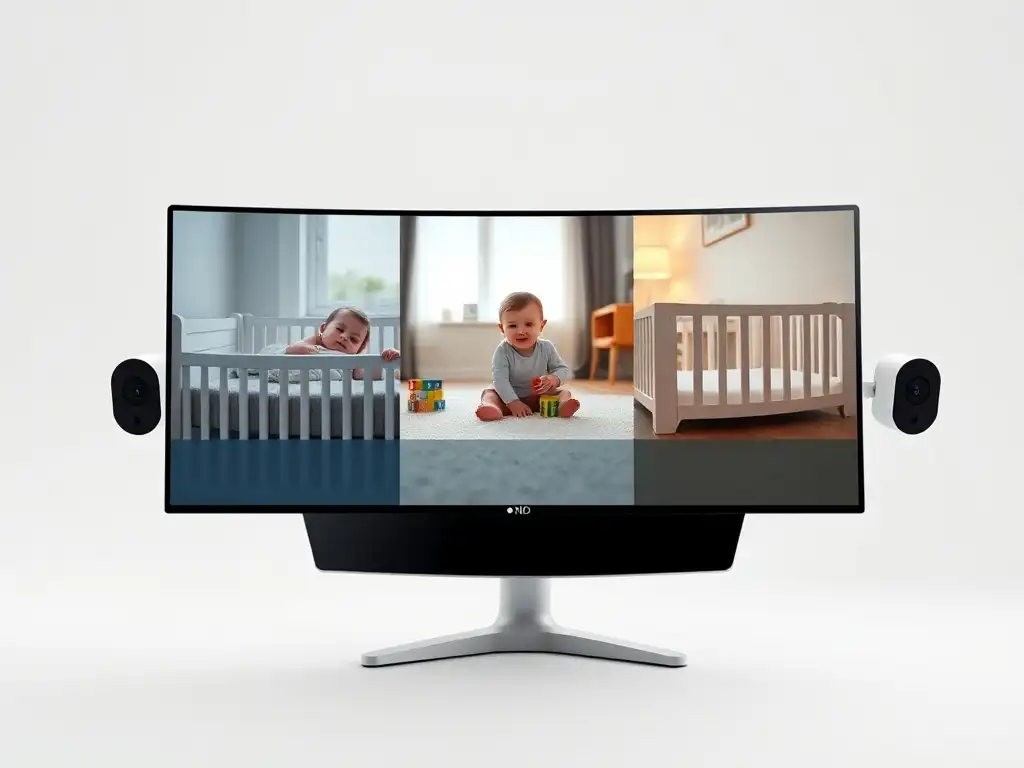
This section reviews the Infant Optics DXR-8 Pro. This model is frequently cited among the best multi-camera baby monitors, although it technically requires purchasing multiple units to achieve a multi-camera setup. Each unit acts independently, offering excellent video and audio quality. This approach offers flexibility, allowing parents to customize their monitoring system to suit their home's layout.
Features: The Infant Optics DXR-8 Pro boasts a crystal-clear 2.4 GHz digital video transmission, minimizing interference and ensuring a reliable signal. It includes features such as infrared night vision for clear viewing in low-light conditions, pan and tilt functionality (on the parent unit) to adjust the camera's view remotely, and a temperature sensor to monitor the nursery environment. Crucially, it offers excellent range – approximately 1000 feet – providing coverage for even large homes.
The sound is also incredibly clear, allowing parents to easily distinguish between crying, cooing, and other sounds. Each camera unit is also exceptionally lightweight and portable, making it easy to move from room to room as needed. Note that the absence of features like two-way audio, app connectivity, and zoom is a significant consideration for some parents.
Pros:
- Excellent video and audio quality.
- Long range.
- Reliable digital transmission.
- Infrared night vision.
- Pan and tilt functionality.
- Temperature sensor.
- Portability.
Cons:
- No two-way audio.
- No app connectivity.
- Requires purchasing multiple units for multi-camera use. This can significantly increase the overall cost.
- Lacks zoom functionality.
Price: The price varies depending on the retailer, but generally, each individual Infant Optics DXR-8 Pro unit falls within the $[price range pending] range. Remember that multiple units are needed for multi-room monitoring.
Review of Baby Monitor 5: Brand, Model, Features, Pros, Cons, Price
Our final review focuses on the VTech DM221 Audio Baby Monitor. While not a multi-camera system in the traditional sense (it doesn't support multiple cameras simultaneously), it's a versatile and affordable option for parents needing to monitor multiple rooms.
Its strength lies in its DECT 6.0 technology, which provides a secure and interference-free connection, even in densely populated areas. The core functionality is audio monitoring, but its long range and reliable signal make it suitable for monitoring a baby in one room while keeping an eye on another child or pet in a different area by moving the parent unit.
Features: The VTech DM221 utilizes DECT 6.0 technology for a clear and secure audio connection. It offers a range of up to 1,000 feet, and features sound activation, allowing the parent unit to only activate when sound is detected. It also has a low-battery indicator and a sound level indicator. However, it lacks video capabilities.
Pros:
- Excellent audio quality.
- Long range.
- Secure DECT 6.0 technology.
- Sound activation.
- Affordable price point.
- Easy to use.
Cons:
- No video capabilities.
- Lacks additional features found in video baby monitors, such as temperature sensors or two-way talk.
- Not a true multi-camera system; its multi-room monitoring is achieved through its range and the portability of the parent unit.
Price: The VTech DM221 is typically priced within the $[price range pending] range, making it a budget-friendly option for parents on a tighter budget. However, remember the limitations of the absence of video monitoring. This option is best for parents prioritizing budget and reliable audio monitoring over video surveillance.
Setting Up and Using Your Multi-Camera Baby Monitor System
This section provides a detailed walkthrough of setting up and utilizing a multi-camera baby monitor system, focusing on maximizing its capabilities for enhanced peace of mind. Choosing the best multicamera baby monitor often involves understanding not just the features, but also the practicalities of installation and usage. We'll explore the process step-by-step, ensuring you're equipped to effectively monitor multiple rooms simultaneously.
Step-by-Step Guide to Installing and Configuring Multiple Cameras
Installing a multi-camera baby monitor system might seem daunting, but with a methodical approach, it's straightforward. Here's a step-by-step guide:
- Unboxing and Familiarization: Carefully unpack all components. Familiarize yourself with the main unit, cameras, power adapters, and any included accessories. Read the manufacturer's instructions thoroughly – this is crucial for avoiding common pitfalls and ensuring optimal performance.
- Powering Up the Main Unit and Cameras: Connect the main unit to a power source. Then, connect each camera to its individual power adapter and plug it into an outlet. Ensure sufficient power outlets are available near your desired camera locations. Power placement is key for avoiding cable clutter and ensuring the best signal strength.
- Connecting Cameras to the Main Unit: The method for connecting cameras varies depending on the specific model. Some utilize a wireless connection (Wi-Fi), while others might use a dedicated frequency. Consult your instruction manual for precise instructions. Often, this involves a simple pairing process indicated by flashing lights on the cameras and the main unit.
- Placement and Positioning: Strategically place cameras to cover the necessary areas. Consider the optimal viewing angle for each crib or play area. Avoid placing cameras in direct sunlight or areas with significant light interference, as this can affect image quality. Experiment with placement until you achieve the best viewing angles for each camera.
- Testing and Calibration: Once all cameras are connected, test the system thoroughly. Check image and audio quality for each camera individually, ensuring clear and reliable transmission. Adjust camera angles as needed for optimal viewing. Some monitors allow for digital zoom and pan/tilt adjustments, which can be fine-tuned during this step.
- App Configuration (if applicable): Many modern multi-camera baby monitors offer smartphone applications for remote viewing and control. Download and install the app, and follow the on-screen instructions to register your device and connect it to your home Wi-Fi network. The app usually provides additional settings and customization options.
Optimizing Camera Placement for Optimal Viewing Angles
Optimal camera placement is paramount for a successful multi-camera baby monitoring setup. Here’s how to achieve the best viewing angles:
- Height: Place cameras at a slightly elevated height to provide a comprehensive view of the crib or play area, minimizing blind spots. Aim for a position that allows you to clearly see your baby’s face and movements.
- Angle: Experiment with different angles to ensure the entire space is visible. Avoid placing cameras directly facing bright lights, as this can cause glare and reduce image quality. Consider using a combination of slightly angled cameras to cover a larger area effectively.
- Room Layout: Consider the layout of the room and the position of furniture. Place cameras strategically to avoid obstruction and to capture the most important areas. A clear view of the baby's face is the primary goal, but the overall room needs to be seen too.
- Multiple Cameras for Larger Rooms: For larger rooms or spaces with multiple areas, using multiple cameras is essential for complete coverage. Strategically position cameras to ensure continuous monitoring without blind spots. This is where the "best multicamera baby monitor" truly shines.
- Obstructions: Ensure that no furniture, toys, or other objects obstruct the camera's view. Keep the area around the cameras clear to maintain optimal image quality. Regularly check for obstructions, as these can develop over time.
Utilizing Advanced Features: Split Screen, Zoom, and Pan/Tilt Control
Many high-end multi-camera baby monitors boast advanced features that enhance monitoring capabilities. Understanding these features is key to maximizing your system's potential.
- Split Screen View: This allows you to see live feeds from multiple cameras simultaneously on a single screen, often offering customizable layouts. This is particularly useful when monitoring multiple children in different rooms.
- Digital Zoom: Many monitors offer digital zoom, allowing you to enlarge the image on a particular camera for a closer view of your baby. This is incredibly helpful for checking on subtle details or movements.
- Pan and Tilt Control: This feature allows you to remotely adjust the camera's viewing angle, providing a wider range of visibility and allowing you to check on different parts of the room without physically moving the camera. This is excellent for keeping an eye on a baby who's mobile.
- Two-Way Audio: Most systems include two-way audio, allowing you to soothe your baby remotely. This can be incredibly useful for calming a fussy child without needing to enter the room.
- Night Vision: Essential for nighttime monitoring, night vision capabilities ensure clear images even in low-light conditions. This is a crucial feature for a reliable and efficient "best multicamera baby monitor".
By understanding and utilizing these advanced features, you can significantly improve your ability to monitor your baby's well-being from a distance, providing peace of mind and security. Mastering these features truly unlocks the full potential of your multi-camera baby monitor system.
Troubleshooting Common Multi-Camera Baby Monitor Issues
Dealing with a malfunctioning multi-camera baby monitor can be incredibly stressful, especially when your little one's safety is at stake. Fortunately, many common issues have simple solutions. Let's explore some frequent problems and their fixes.
One of the most common issues is connectivity problems. This can manifest as a loss of signal, blurry video, or a complete inability to connect to the cameras. Before panicking, check the obvious: ensure all cameras are plugged in and powered on. Verify that the parent unit and each camera are within the manufacturer's specified range; interference from other electronic devices like microwaves or cordless phones can significantly impact signal strength.
Restarting both the parent unit and individual cameras often resolves temporary glitches. If the problem persists, check your router's settings and ensure your baby monitor's network connection is stable and has sufficient bandwidth. Consider moving the router closer to the cameras if necessary, or using a WiFi extender to boost the signal in areas with weak reception. Remember to consult your monitor's user manual for specific troubleshooting steps related to network connectivity.
Another frustrating problem is poor video quality. This could be caused by several factors, including low light conditions, camera placement, or network issues (as mentioned above). Ensure that each camera is positioned to provide optimal lighting; avoid backlighting, which can create a silhouette effect and obscure your baby's features.
Cleaning the camera lenses with a soft, dry cloth can also dramatically improve picture clarity. If the issue persists after checking the lighting and cleaning the lenses, the problem might be related to the camera's resolution or the network bandwidth, requiring further investigation of your router's settings or contacting customer support.
Audio issues, such as faint or distorted sound, are also relatively common. First, check the volume levels on both the parent unit and the individual cameras. Make sure the microphones on the cameras are not obstructed by blankets, toys, or other objects. Excessive background noise can also interfere with the audio quality; try to minimize noise in the monitored rooms. If the problem persists after these checks, a faulty microphone on one of the cameras might be the culprit, requiring repair or replacement.
Finally, you might encounter problems with camera disconnections. This can be triggered by weak WiFi signals, interference, or even software glitches. As mentioned previously, improving the WiFi signal strength often resolves this. If the issue is software-related, a firmware update might be necessary. Consult your monitor's manual for instructions on how to perform a firmware update.
In some cases, a factory reset might be required, but remember to back up any important settings beforehand. Always remember to refer to your monitor's user manual for specific troubleshooting guidance. A systematic approach, starting with the simplest solutions, will usually pinpoint the root cause and get your multi-camera baby monitor system back up and running smoothly. Remember, a well-functioning monitor provides peace of mind, so don't hesitate to seek professional assistance if needed.
Choosing the Right Multi-Camera Baby Monitor: A Buying Guide
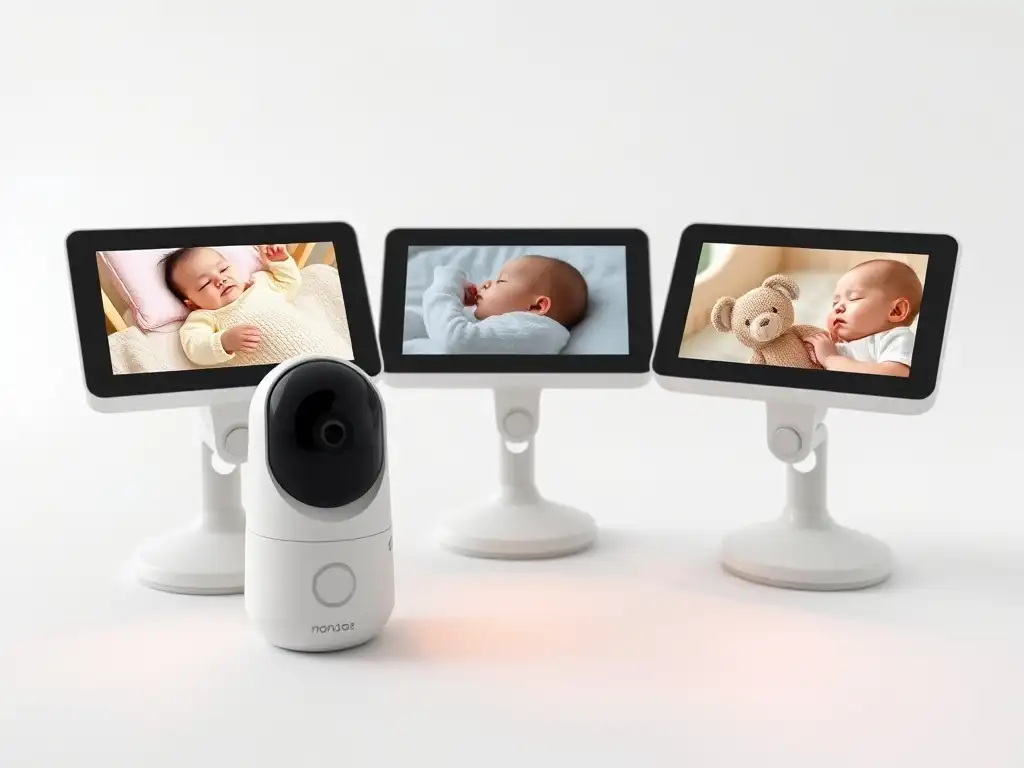
This section focuses on helping you navigate the world of multi-camera baby monitors to find the best multicamera baby monitor for your family's specific needs. Choosing the right system involves careful consideration of several key factors. Let's delve into the specifics.
Factors to Consider When Selecting a Multi-Camera Baby Monitoring System
Selecting a multi-camera baby monitor requires more than simply choosing a system with multiple cameras. You need to assess your family's unique requirements to ensure you get the best value and functionality. Several critical factors influence this decision. Ignoring these could lead to purchasing a system that doesn't meet your needs, leaving you frustrated and potentially compromising your baby's safety.
Budget and Pricing Considerations for Multi-Camera Systems
The cost of multi-camera baby monitors varies significantly depending on features, brand reputation, and the number of cameras included. Budgeting is crucial. While more expensive systems often boast superior technology and features like higher resolution video, pan/tilt/zoom capabilities, and advanced sound detection, a less expensive option might suffice if your needs are basic.
Consider creating a budget range before you start shopping. Research prices from different brands and retailers to get a sense of what's available within your price point. Don't forget to factor in potential additional costs, such as subscription fees for cloud storage or extra cameras if you decide you need more later. Remember, the best multicamera baby monitor isn't necessarily the most expensive one; it's the one that best fits your budget and requirements.
| Price Range | Features Typically Included | Potential Limitations |
|---|---|---|
| Under $200 | Basic video and audio, possibly night vision, limited range | Lower resolution, fewer features, potentially shorter range |
| $200 - $400 | Higher resolution, pan/tilt/zoom, longer range, better sound | May lack advanced features like two-way audio or smart home integration |
| Over $400 | High-resolution video, advanced features (smart home integration, two-way audio, etc. ), robust range, multiple cameras included | Higher initial cost; may require ongoing subscription fees |
Room Size and Layout Considerations for Camera Placement
Camera placement is critical for optimal monitoring. Consider the size and layout of the rooms you'll be monitoring. Larger rooms may require cameras with wider viewing angles or the ability to pan and tilt to cover the entire space effectively. The physical layout of your home also plays a role. Ensure you have adequate Wi-Fi coverage to support multiple cameras without experiencing signal dropouts or lag. Poor Wi-Fi can render even the best multicamera baby monitor ineffective. Consider using a Wi-Fi extender if necessary for optimal performance.
Before purchasing, carefully measure the rooms and visualize camera placement. Think about where your baby will sleep and where you want to monitor from. Some systems offer wall-mounting options for more discreet and stable placement.
Number of Children and Rooms Requiring Monitoring
The number of children and rooms you need to monitor directly impacts the number of cameras you require. If you have twins or multiple children in separate rooms, a multi-camera system is essential. However, even with one child, you might want to monitor both the nursery and a play area, necessitating more than one camera. Carefully assess your needs to avoid purchasing an insufficient or overly expensive system. Consider future expansion – will you need additional cameras in the future? Some systems allow for easy expansion by adding more cameras later.
Desired Features and Functionality: Prioritizing Your Needs
Beyond the basic video and audio monitoring, many multi-camera baby monitors offer a range of additional features. Prioritize your needs to find the system that best suits your lifestyle. Some key features to consider include:
- High-Definition Video: Crystal-clear video ensures you can clearly see your baby at all times, day or night.
- Pan, Tilt, and Zoom: This allows you to adjust the camera's view remotely, providing a comprehensive view of the room.
- Two-Way Audio: The ability to talk to your baby remotely can be comforting and helpful for soothing them.
- Night Vision: Essential for monitoring during nighttime hours.
- Temperature Monitoring: Provides peace of mind by monitoring the room's temperature.
- Sound Detection with Alerts: Alerts you to unusual noises, such as crying or other sounds.
- Motion Detection: Alerts you to any movement in the monitored area.
- Remote Access via Smartphone App: Allows you to monitor your baby from anywhere with an internet connection.
- Cloud Storage: Allows you to record and store video footage for later review (often a subscription service).
Carefully weigh these features against your budget and needs. The best multicamera baby monitor will be the one that provides the essential features you need without unnecessary extras.
Frequently Asked Questions about Multi-Camera Baby Monitors
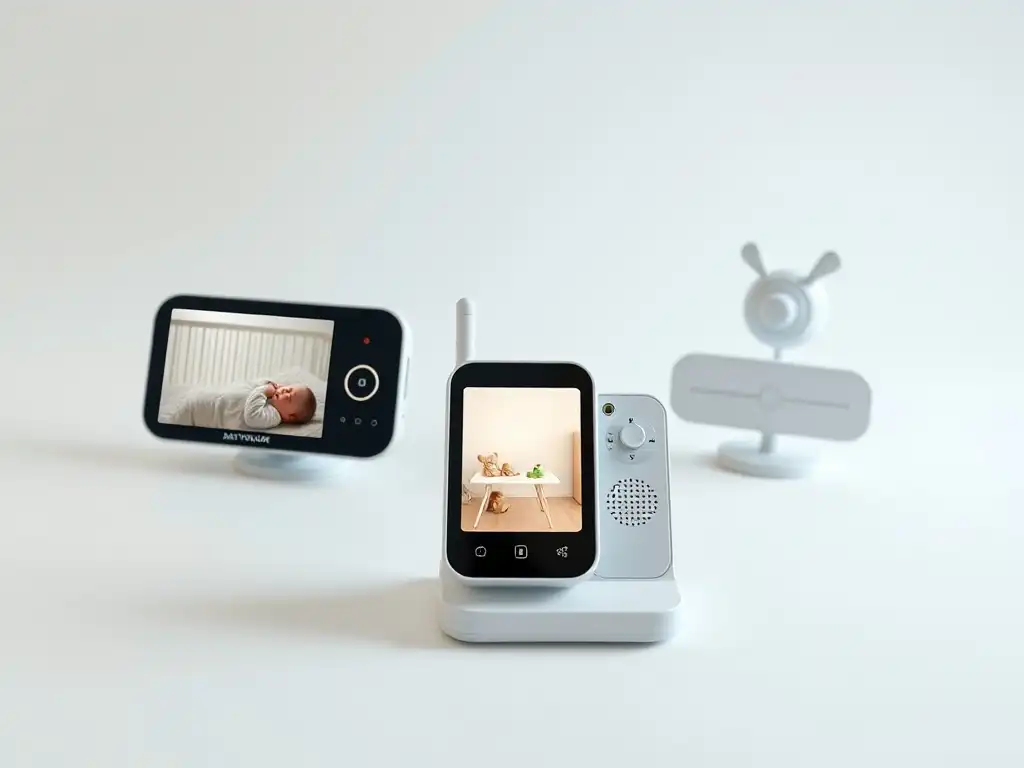
This section addresses common queries regarding multi-camera baby monitors, helping you choose the best multicamera baby monitor for your needs. We'll delve into specifics regarding camera connectivity, range, and simultaneous viewing capabilities.
How many cameras can I connect to one monitor?
The number of cameras you can connect to a single monitor varies significantly depending on the brand and model. Some entry-level systems might only support two cameras, providing basic coverage for two separate rooms. However, higher-end models, often marketed as the "best multicamera baby monitor" options, can support significantly more.
You'll find systems capable of handling four, six, or even more cameras simultaneously. This allows for comprehensive monitoring across a larger home or for families with multiple children in separate sleeping areas. Always check the product specifications carefully before purchasing; the packaging and manufacturer's website should clearly state the maximum number of compatible cameras.
Consider your family's needs and the size of your home to determine the appropriate number of cameras. For example, a family with twins in separate cribs would benefit from at least a dual-camera system, while a larger family might need a system with four or more cameras to monitor multiple children and rooms effectively.
What is the range of a multi-camera baby monitor?
The range of a multi-camera baby monitor is a crucial factor influencing its effectiveness. Range is typically defined as the maximum distance between the camera and the parent unit while maintaining a clear and stable video feed. This range can vary drastically, from a few hundred feet in less expensive models to several thousand feet in premium systems.
Several factors impact the range, including the strength of the wireless signal (typically Wi-Fi or DECT), the presence of physical obstructions (walls, furniture), and interference from other electronic devices. A strong, stable connection is crucial for reliable monitoring, especially in larger homes. If you live in a large house or have thick walls, a monitor with a longer range is essential.
Look for systems that advertise their range clearly and consider conducting research on user reviews to gauge real-world performance in different settings. Before purchasing a specific model, consider the layout of your home and the distances between the rooms you intend to monitor.
Can I view multiple cameras simultaneously?
Many multi-camera baby monitors offer the ability to view multiple cameras simultaneously, either through split-screen viewing or by cycling through each camera feed automatically. Split-screen viewing allows for a side-by-side or tiled display of multiple camera feeds on the parent unit's screen, providing a real-time overview of different rooms. This is particularly useful for monitoring multiple children simultaneously.
Some advanced systems may even allow for customizable layouts, letting you choose which cameras are displayed prominently and their arrangement on the screen. Automatic cycling, on the other hand, automatically switches between different camera feeds at set intervals, providing a quick overview of each location. This feature is helpful when you want to check in on multiple areas without manually switching between cameras.
The availability of simultaneous viewing and the specific methods offered (split-screen, cycling, or both) will vary depending on the model. Check the manufacturer's specifications and user reviews to confirm the features before purchasing, as this greatly impacts the usability and functionality of the "best multicamera baby monitor" for your needs. Consider which viewing method best suits your monitoring style and family dynamics.
Are multi-camera baby monitors compatible with smart home devices?
Many modern multi-camera baby monitors boast compatibility with popular smart home ecosystems. This integration offers a range of benefits, enhancing convenience and functionality. For example, some systems allow you to view your baby's room feeds directly on your smart display, such as a Google Nest Hub or Amazon Echo Show. This hands-free viewing is particularly useful during nighttime checks. Furthermore, integration with smart home assistants enables voice control.
You might be able to command your smart speaker to show you a specific camera feed or adjust the audio volume without touching your phone. However, it's crucial to check the specific compatibility of the monitor model you're considering with your existing smart home setup. Not all brands integrate seamlessly with all platforms. Some monitors may only work with specific smart home assistants, while others might offer a wider range of integrations.
Always verify the manufacturer's specifications before purchasing to avoid incompatibility issues. The level of integration also varies; some offer basic viewing, while others may allow for more advanced features like automated routines triggered by the baby's sounds. Understanding these nuances is key to selecting the best multi-camera baby monitor for your smart home. Consider the features you value most in a smart home device and choose a monitor that aligns with those needs.
How secure are multi-camera baby monitors?
The security of a multi-camera baby monitor is a paramount concern for parents. Protecting your child's privacy while monitoring them remotely requires careful consideration of several factors. Firstly, look for monitors that utilize strong encryption protocols, such as AES 256-bit encryption, to safeguard the video and audio streams. This encryption makes it significantly more difficult for unauthorized individuals to intercept the data transmitted between the cameras and the viewing device. Secondly, investigate the manufacturer's security practices. Reputable brands often invest heavily in security measures and regularly update their firmware to patch any vulnerabilities discovered.
Check for features like two-factor authentication, which adds an extra layer of security to your account, making it much harder for hackers to gain access. Thirdly, be mindful of the monitor's network security. Ensure the monitor is connected to a secure Wi-Fi network with a strong password. Avoid using public Wi-Fi networks for monitoring your baby as these are inherently less secure. Regularly updating the firmware of your baby monitor is also crucial.
Manufacturers often release updates that address security flaws and improve overall performance, so staying current is a vital step in maintaining a secure monitoring system. Finally, consider the physical security of the cameras themselves. Choose monitors with robust physical security features to prevent tampering or unauthorized access. While no system is entirely impenetrable, a combination of these security measures significantly reduces the risk of breaches and protects your baby's privacy. Choosing a reputable brand with a strong commitment to security is a crucial aspect of selecting the best multi-camera baby monitor for your family.
Frequently Asked Questions
What is a multi-camera baby monitor?
A multi-camera baby monitor allows you to simultaneously monitor multiple rooms or areas within your home. This is ideal for parents with more than one child or those who want to keep an eye on different locations. This offers enhanced peace of mind.
What are the benefits of using a multi-camera baby monitor?
The main benefit is increased visibility and surveillance. You can easily switch between cameras to check on your baby in different locations, providing greater convenience and security.
How many cameras can I typically connect to a multi-camera system?
The number of cameras varies depending on the specific model you choose. Some systems support two cameras, while others can handle four or even more. Check the manufacturer's specifications before purchasing.
What features should I look for in a multi-camera baby monitor?
Look for features such as high-quality video and audio, night vision, pan and tilt capabilities, and remote access. Consider two-way audio for communication with your baby.
Are multi-camera baby monitors expensive?
The cost of a multi-camera baby monitor varies greatly depending on features and brand. While some are more affordable, others with advanced features can be more expensive. Consider your budget and needs when making a decision.
Final Reflection: The Evolving Landscape of Parental Peace of Mind
The ability to simultaneously monitor multiple children across different rooms is no longer a luxury, but a vital tool for modern parents navigating the complexities of family life. The convenience and reassurance offered by multi-camera baby monitors are transforming how we approach childcare, offering a level of security previously unimaginable. This shift reflects a broader societal emphasis on safety and proactive parenting.
The impact of technology on parenting is profound, constantly reshaping our relationship with our children and our approach to their well-being. The ease with which we can now keep a watchful eye on multiple little ones simultaneously speaks volumes about our evolving priorities. The most important thing a father can do for his children is to love their mother.
While this timeless quote emphasizes the importance of family unity, modern technology like multi-camera baby monitors allows us to actively contribute to that unity by providing a sense of security and connectedness, even across different spaces.
Consider the ways in which this technology can enhance your own family life. Think about the peace of mind it offers, the increased efficiency it provides, and the subtle but significant ways it can improve your daily routine. You deserve the reassurance of knowing your children are safe and secure, and the tools are now available to help you achieve that. Embrace the advancements in technology that support your role as a parent, and remember that the best technology is always in service of the most important things: love, connection, and the well-being of your family.
Unlock Peace of Mind: Expand Your Baby Monitoring Network
Thanks for learning about the benefits of multi-camera baby monitoring! We hope you feel confident choosing the right system for your family. Ready to take the next step?
- **Invest in a multi-camera system:** This ensures complete coverage and unparalleled peace of mind. Consider your priorities and begin your search!
- **Share your experience:** We'd love to hear about your multi-camera setup and any tips you have for other parents. Leave a comment below!
- **Explore smart home integration:** A multi-camera system can seamlessly integrate with other smart devices in your home. What other smart technologies are you considering?
What's the most important feature you seek in a baby monitor to provide the best view?