
Baby Monitor Interference: Troubleshooting Common Problems

Welcome to BabyCareHub, your ultimate guide to navigating the incredible journey of parenthood! Are you ready to conquer the challenges of newborn care? We're here to help, offering expert advice and practical solutions for every stage. But first, let's tackle a common frustration: baby monitor interference. Discover simple, effective strategies to ensure clear communication with your little one, and unlock peace of mind. Read on to learn how to fix baby monitor interference and get back to enjoying those precious moments.
- Understanding Baby Monitor Interference: Causes and Types
-
Troubleshooting Your Baby Monitor: Step-by-Step Guide
- Step 1: Check Power Sources and Battery Levels
- Step 2: Investigate Nearby Electronic Devices: Identifying Interference
- Step 3: Optimize Baby Monitor Placement for Minimal Interference
- Step 4: Change Baby Monitor Channels to Reduce Static
- Step 5: Update Baby Monitor Firmware (if applicable)
- Step 6: Consider a Different Frequency or Technology (DECT, 2.4GHz, 5GHz)
- Step 7: Troubleshooting Audio Issues Beyond Simple Interference
- Advanced Troubleshooting for Persistent Interference
- Preventing Future Baby Monitor Interference
- Frequently Asked Questions
- Final Reflection: The Silent Struggle for Connection in the Digital Nursery
- Unplug the Noise: Conquer Baby Monitor Interference Today!
Understanding Baby Monitor Interference: Causes and Types
Navigating the world of newborn care can feel overwhelming, and ensuring your baby's safety and well-being is paramount. A baby monitor provides invaluable peace of mind, allowing you to keep a watchful eye on your little one, even from another room. However, the convenience of a baby monitor can be disrupted by interference, leading to frustrating static, dropouts, or even complete signal loss.
This comprehensive guide will help you understand the causes and types of baby monitor interference, equipping you with the knowledge to troubleshoot common problems and restore clear communication with your baby. We'll explore various interference sources, differences between digital and analog monitors, and practical steps to resolve these issues, ensuring you can confidently monitor your baby's sleep and activities without interruption. Fixing baby monitor interference is crucial for maintaining a secure and reassuring environment for both parent and child.
Identifying Sources of Wireless Baby Monitor Interference
Wireless baby monitors, while incredibly convenient, are susceptible to interference from various sources. Understanding these sources is the first step towards fixing the problem. Interference manifests in different ways, from occasional crackling and static to complete signal loss. The strength and frequency of interference can vary depending on the proximity and power of the interfering device. Common symptoms include:
- ❌ Static or crackling sounds
- ❌ Intermittent audio dropouts
- ❌ Distorted audio
- ❌ Complete signal loss
- ❌ Erratic video feed (for video monitors)
Identifying the source requires a systematic approach. Start by considering your home's electronic landscape. Is your baby monitor near other wireless devices? Are there any nearby power lines or electrical appliances that could be causing electromagnetic interference (EMI)? The closer the interfering device is to your baby monitor, the more likely it is to cause significant disruption. Sometimes, even seemingly unrelated devices can contribute to the problem.
Digital vs. Analog Baby Monitors: Interference Differences
Digital and analog baby monitors operate differently, leading to varying susceptibility to interference. Understanding these differences is key to effective troubleshooting.
| Feature | Analog Baby Monitor | Digital Baby Monitor |
|---|---|---|
| Signal Type | Radio waves (more susceptible to interference) | Digital signals (less susceptible to interference) |
| Interference | Easily disrupted by other radio frequencies | More resistant to interference from other digital devices |
| Sound Quality | Often lower quality, prone to static and noise | Generally clearer and more reliable sound quality |
| Range | Typically shorter range | Usually longer range |
| Security | Lower security; susceptible to eavesdropping | Enhanced security features to prevent unauthorized access |
Analog monitors, utilizing radio frequencies, are significantly more prone to interference from other devices operating on similar frequencies, such as cordless phones, microwaves, and even other analog baby monitors in close proximity. Digital monitors, on the other hand, employ digital signals and frequency-hopping spread spectrum (FHSS) technology, making them less susceptible to interference. While not immune, digital monitors generally offer improved reliability and clearer audio.
Common Interference Sources: Wi-Fi, Bluetooth, and Other Devices
Several common household devices can interfere with your baby monitor's signal. These include:
- Wi-Fi Routers: The 2.4 GHz frequency band used by many Wi-Fi routers often overlaps with the frequencies used by some baby monitors, leading to interference. Consider changing your Wi-Fi channel or repositioning your router.
- Bluetooth Devices: Bluetooth devices, such as smartphones, tablets, and wireless headphones, can also interfere with baby monitors, especially analog ones. Try turning off unnecessary Bluetooth devices or moving them further away from the monitor.
- Microwaves: Microwaves operate on a frequency that can significantly interfere with baby monitors, especially during operation. Avoid using the microwave while actively monitoring your baby.
- Cordless Phones: Cordless phones, especially older models, often operate on frequencies that can interfere with baby monitors. Try moving the baby monitor away from the cordless phone base.
- Other Electronic Devices: Other electronic devices, such as smart home devices, power adapters, and even some lighting systems, can potentially cause interference. Try systematically unplugging or moving devices to pinpoint the source.
Addressing these common interference sources often resolves the issue. Remember, careful placement of your baby monitor and understanding the technology behind it are key to a reliable and peaceful monitoring experience. 👶
Troubleshooting Your Baby Monitor: Step-by-Step Guide
This section provides a detailed, step-by-step guide to resolving common baby monitor interference issues. Successfully fixing baby monitor interference often involves a systematic approach, checking various potential sources of disruption. Let's begin!
Step 1: Check Power Sources and Battery Levels
Before investigating complex interference sources, ensure the basics are covered. Low battery levels in either the parent unit or the baby unit can significantly impact signal strength and lead to dropouts, static, or complete signal loss. This is a frequent cause of seemingly inexplicable "baby monitor problems," so it's the first thing to check!
- Parent Unit: Verify the parent unit is properly plugged into a power outlet. If it uses batteries, check their charge level. Many parent units have clear battery indicators; consult your user manual if you're unsure of the location. Low battery warnings are often accompanied by a change in sound quality or visual alerts. Replacing weak batteries with fresh ones is a simple yet effective solution for many interference problems.
- Baby Unit: Similarly, inspect the baby unit's power source. If it's battery-powered, replace weak batteries immediately. If it's plugged in, make sure the connection is secure and the outlet is functioning correctly. A faulty power adapter can also cause interference issues or complete failure.
- Power Adapters: Power adapters can sometimes malfunction, leading to signal disruption. Try swapping the power adapter with a known good one to rule this out as a cause of your baby monitor interference.
Step 2: Investigate Nearby Electronic Devices: Identifying Interference
Electronic devices operating on similar frequencies can significantly interfere with your baby monitor's signal. This is a common cause of static, crackling sounds, or signal dropouts. The process of identifying the culprit often involves a bit of detective work.
- Frequency Hopping: Many modern baby monitors use frequency-hopping spread spectrum (FHSS) technology to minimize interference. However, even with FHSS, high concentrations of electronic devices can still cause issues.
- Common Culprits: Wireless routers (Wi-Fi), cordless phones (especially 2.4 GHz models), microwaves, Bluetooth devices (smartphones, tablets), and even some older model baby monitors operating on the same frequency band can all contribute to signal problems.
- Systematic Approach: Try turning off electronic devices one by one in the vicinity of the baby unit and the parent unit to pinpoint the source of the interference. Observe if the signal improves when a specific device is switched off. Note: Some devices, like microwaves, might only cause interference when in use.
- Distance Matters: The closer these devices are to your baby monitor, the greater the likelihood of interference. Try increasing the distance between your baby monitor and potentially interfering devices.
Step 3: Optimize Baby Monitor Placement for Minimal Interference
Strategic placement of your baby monitor can significantly reduce interference and improve signal quality. Consider these factors:
- Walls and Obstacles: Walls, furniture, and other physical obstacles can weaken the signal. Try to minimize the number of obstacles between the baby unit and the parent unit. Experiment with different locations for both units to find the optimal placement.
- Metal Objects: Metal objects can significantly obstruct or distort the signal. Keep the baby unit and parent unit away from metal furniture, appliances, and other metallic objects.
- Elevation: Placing the baby unit slightly higher, perhaps on a shelf or changing table, can sometimes improve signal reception. Similarly, consider elevating the parent unit to avoid interference from floor-level objects.
- Line of Sight: While not always possible, a clear line of sight between the baby unit and the parent unit will generally result in the strongest and most reliable signal.
Remember, patience and methodical troubleshooting are key to successfully fixing baby monitor interference. By following these steps, you can significantly improve your baby monitor's performance and ensure you maintain a clear connection with your little one. 👶
Step 4: Change Baby Monitor Channels to Reduce Static
Many baby monitors operate on specific radio frequencies. If you're experiencing interference, switching channels might significantly improve the audio quality. Most monitors allow you to select a channel from a range of options, usually numbered 1-10 or similar. The optimal channel will vary depending on your home environment and the presence of other electronic devices.
Start by trying channels furthest from your initial setting. For example, if you were on channel 1, try channels 8 or 9 first. Carefully observe the audio quality after each change; note any improvements or persistent static. Remember to consult your baby monitor's user manual for specific instructions on changing channels – the process can differ slightly between brands and models.
If you continue to experience interference even after trying multiple channels, consider the steps outlined in the following sections. Thoroughly testing each channel is crucial to identifying the least interfered-with frequency for your specific location. Keep a record of which channels produce the best results for future reference.
Step 5: Update Baby Monitor Firmware (if applicable)
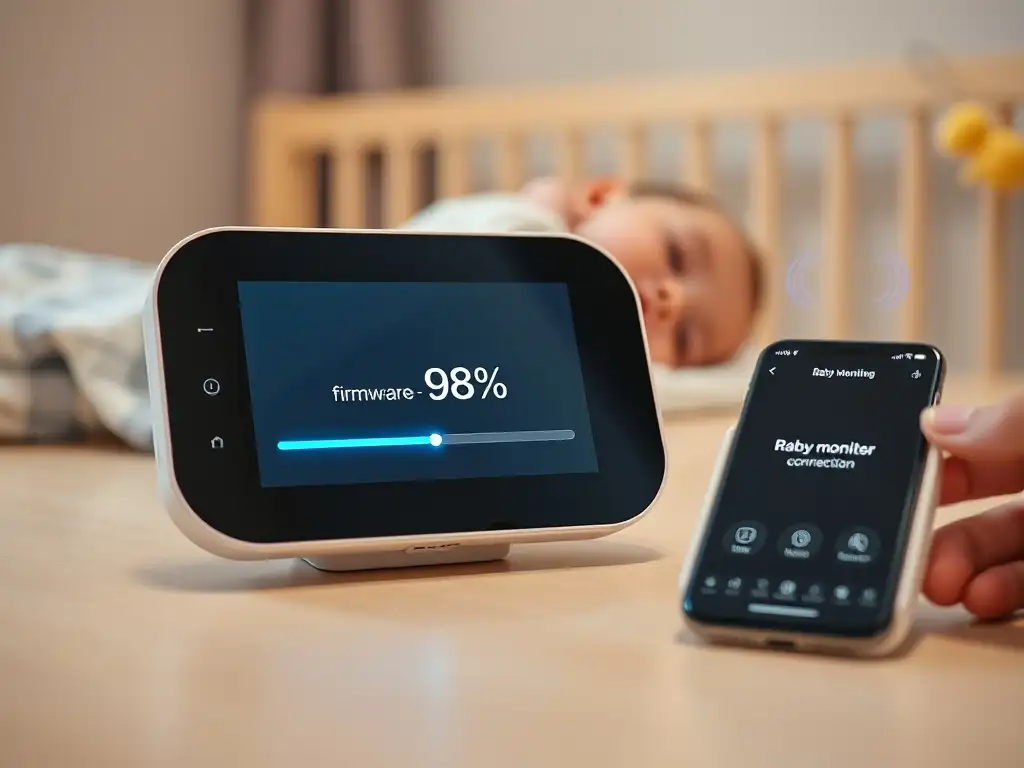
Outdated firmware can sometimes contribute to baby monitor interference. Manufacturers regularly release updates that address bugs and improve performance, including enhancements to radio frequency handling. Check your baby monitor manufacturer's website for available firmware updates. The process usually involves connecting the monitor's parent unit to a computer or using a dedicated mobile app.
Carefully follow the manufacturer’s instructions, as incorrect firmware installation can sometimes lead to device malfunction. Before updating, make sure to back up any important settings, if possible. After the update is complete, restart both the parent and baby units to ensure the changes take effect. Updating your baby monitor's firmware is a simple yet often overlooked step that can resolve a variety of issues, including interference.
Step 6: Consider a Different Frequency or Technology (DECT, 2.4GHz, 5GHz)
Different baby monitors use different frequencies and technologies to transmit signals. The most common are DECT (Digital Enhanced Cordless Telecommunications), 2.4 GHz, and 5 GHz. 2.4 GHz is a commonly used frequency for many wireless devices, making it susceptible to interference from Wi-Fi routers, microwaves, and cordless phones.
5 GHz offers less interference due to its less crowded frequency band, but may have a shorter range. DECT is less prone to interference but might be less readily available or more expensive. If you consistently experience interference with your current monitor, switching to a different frequency or technology might be the solution.
For example, if your current monitor uses 2.4 GHz and experiences significant interference, upgrading to a 5 GHz or DECT model could drastically improve the signal quality. Carefully weigh the pros and cons of each technology, considering factors like range, cost, and susceptibility to interference in your specific environment before making a purchase. The choice of frequency can significantly impact the reliability and performance of your baby monitor.
Step 7: Troubleshooting Audio Issues Beyond Simple Interference
Sometimes, the problem with your baby monitor goes beyond simple interference. If you've tried all the previous steps and still experience poor audio quality, crackling sounds, or complete silence, you might need to investigate more complex issues. Let's explore some possibilities and troubleshooting steps.
One common culprit is a faulty power supply. Ensure both the parent unit and the baby unit are plugged into functioning electrical outlets. Try different outlets to rule out power surges or faulty wiring. Consider testing with different power adapters if possible, as a damaged adapter can significantly impact audio transmission. A simple swap can sometimes reveal the source of the problem. Remember to always unplug the units before making any changes to the power connections.
Another area to investigate is the internal components of the monitor itself. If the monitor is relatively old, internal components might be failing. This could involve issues with the speaker, microphone, or the internal circuitry responsible for signal processing. Unfortunately, fixing these issues typically requires technical expertise or professional repair, as attempting to disassemble the unit yourself could void any warranty and potentially damage it further. Consider contacting the manufacturer or seeking professional repair services if you suspect a hardware malfunction. Keep in mind that repairs might be more expensive than replacing the unit, so weigh the cost-benefit carefully.
Finally, consider the software on your baby monitor, if applicable. Some digital baby monitors have software updates that can address bugs or improve audio performance. Check the manufacturer's website for any available firmware updates and follow their instructions carefully to update your unit’s software. Remember to back up any important settings before proceeding with a software update. A software update may resolve glitches or compatibility issues that are causing the audio problems. Always consult your monitor's user manual for detailed instructions on software updates. Improper updates can potentially brick your device, so proceed with caution.
Advanced Troubleshooting for Persistent Interference
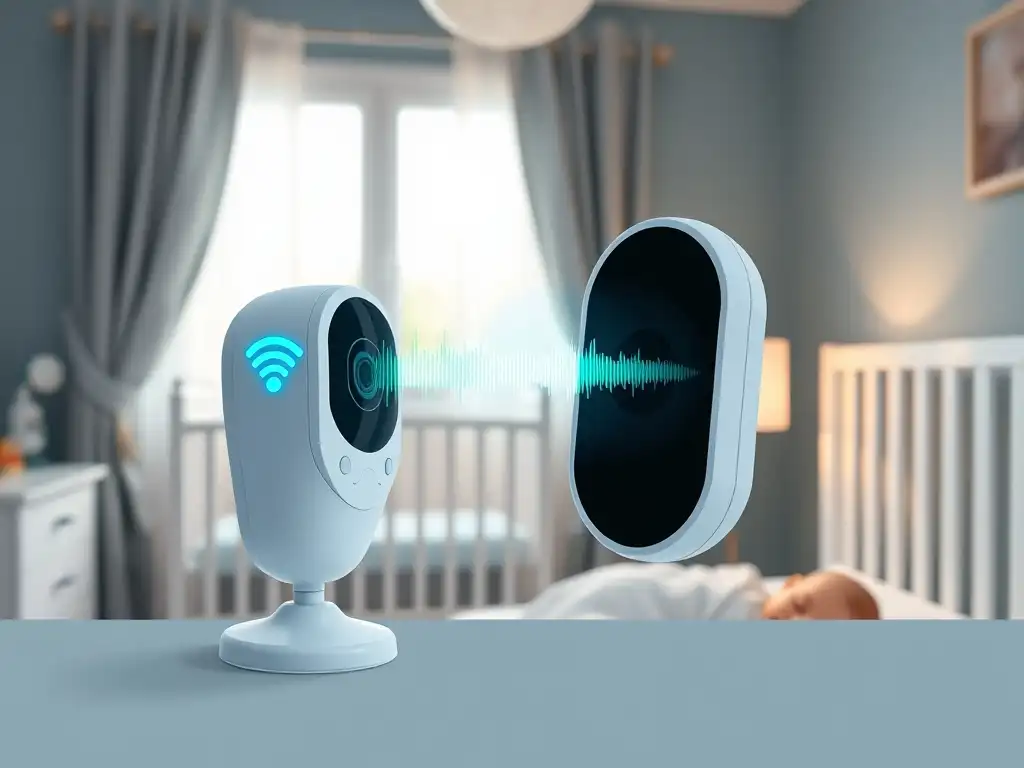
After trying basic troubleshooting steps, persistent baby monitor interference can be frustrating. This section delves into more advanced techniques to resolve these issues and ensure reliable monitoring of your little one. Successfully fixing baby monitor interference often requires a systematic approach, eliminating potential sources one by one. We'll explore strategies to minimize interference and improve signal clarity.
Using Interference-Cancelling Techniques
One effective method to combat persistent interference is employing interference-canceling techniques. These techniques aim to reduce the impact of competing signals on your baby monitor's frequency. While some monitors boast built-in interference reduction features, you can also implement external solutions.
Consider these strategies:
- Changing Channels/Frequencies: Many digital baby monitors allow you to switch between multiple channels or frequencies. Experiment with different settings to find a less congested frequency band. Observe the monitor's performance after each change to pinpoint the clearest signal. Keep a log of which channels yielded the best results.
- Shielding the Monitor: Metal objects can significantly impact signal strength. Try relocating the monitor away from metallic surfaces like refrigerators, microwaves, and metal furniture. Even the metal casing of some electrical outlets can cause interference.
- Using a Signal Booster or Repeater: If distance is a factor, a signal booster or repeater can amplify the signal, extending the range and mitigating interference issues. These devices are specifically designed to improve the signal strength between the transmitter and receiver units. Ensure compatibility with your monitor model before purchasing.
Addressing Specific Interference Issues (e.g., Cordless Phones)
Certain devices are notorious for interfering with baby monitors. Understanding the sources of interference allows for targeted solutions. Let's examine some common culprits and how to deal with them:
| Device Type | Interference Source | Mitigation Strategies |
|---|---|---|
| Cordless Phones | 2.4 GHz frequency overlap | Use a different channel on your cordless phone; switch to a DECT 6.0 phone (less interference) |
| Microwaves | High-powered electromagnetic radiation | Keep the monitor away from the microwave; avoid using the microwave and monitor simultaneously |
| Wi-Fi Routers | 2.4 GHz and 5 GHz frequency overlap | Change your Wi-Fi channel; consider using a 5 GHz network if your monitor supports it |
| Bluetooth Devices | Bluetooth signal interference | Increase distance between Bluetooth devices and the baby monitor; turn off unnecessary devices |
| Other Electronic Devices | Various electromagnetic emissions | Identify and relocate interfering devices; use shielded cables where possible. |
Remember that the proximity of these devices to your baby monitor directly impacts the severity of the interference. The further apart they are, the less interference you'll experience.
When to Replace Your Baby Monitor
Despite your best efforts, some interference problems might prove insurmountable. If you've exhaustively tried all troubleshooting steps and still experience significant interference, replacing your baby monitor might be the best solution. Consider these factors:
- Persistent, Unacceptable Interference: If static, dropouts, or audio distortion consistently disrupt monitoring, the monitor's internal components might be faulty or outdated, making reliable monitoring impossible.
- Age and Technology: Older baby monitors are more prone to interference due to less sophisticated signal processing capabilities. Newer models often incorporate advanced features to minimize interference.
- Safety Concerns: Unreliable monitoring poses a safety concern. If the interference prevents you from consistently hearing your baby, replacing the monitor is crucial.
Replacing your baby monitor with a newer model, potentially one utilizing a different technology or frequency band, can resolve longstanding interference problems and provide peace of mind. Remember to research and choose a reputable brand with positive customer reviews regarding signal reliability. Before purchasing a new monitor, carefully read the specifications to ensure it's compatible with your home environment and less prone to the interference you previously experienced.
Preventing Future Baby Monitor Interference
This section focuses on proactive measures to minimize baby monitor interference, ensuring reliable monitoring of your little one. Understanding the root causes of interference allows for effective prevention strategies, leading to peace of mind for parents. We'll explore several key areas to consider for a smooth and uninterrupted monitoring experience. Learning how to fix baby monitor interference before it even starts is crucial.
Choosing the Right Baby Monitor: Features to Consider
Selecting a baby monitor with features designed to resist interference is a crucial first step in preventing future problems. Not all baby monitors are created equal; some utilize technologies inherently more susceptible to interference than others.
Consider these features when choosing a baby monitor to minimize the chances of signal disruption:
- DECT (Digital Enhanced Cordless Telecommunications): DECT technology is known for its superior resistance to interference compared to analog or 2.4 GHz wireless models. It uses a different frequency band, making it less prone to disruptions from other household devices. This is often considered the gold standard for reliable baby monitor operation.
- Frequency Hopping Spread Spectrum (FHSS): FHSS technology constantly switches frequencies, making it more difficult for other devices to disrupt the signal. While not as resistant as DECT, it offers a significant improvement over basic 2.4 GHz models.
- Multiple Channels: A baby monitor with a wide range of selectable channels allows you to find a clear channel free from interference. Experimenting with different channels can often resolve minor interference issues.
- Signal Strength Indicator: A visual indicator showing the strength of the signal between the parent unit and the baby unit provides real-time feedback, alerting you to potential problems before they become significant. A weak signal is a warning sign that interference might be developing.
- Long Range: Opting for a monitor with a long-range capability minimizes the likelihood of signal degradation due to distance, a common cause of interference.
Optimizing Your Home Network for Baby Monitor Compatibility
Your home network plays a significant role in baby monitor performance. Understanding how different devices interact with your baby monitor’s frequency can help prevent interference.
Here’s how to optimize your home network:
| Device Type | Potential Interference? | Mitigation Strategy |
|---|---|---|
| 2.4 GHz WiFi Routers | High | Use a different frequency (5 GHz if available) for your WiFi, or choose a DECT baby monitor. Consider physically separating the router from the baby monitor. |
| Cordless Phones | Moderate | Use a DECT 6.0 cordless phone to minimize overlap. Experiment with different channels on both the phone and monitor. |
| Microwaves | High | Avoid using the microwave while monitoring. The high-power signal can significantly disrupt baby monitor signals. |
| Bluetooth Devices | Low | While less likely to cause severe interference, try turning off unnecessary Bluetooth devices nearby. |
| Baby Monitors (Other) | High | Use different channels and frequencies to avoid conflicts with other monitors in your home or in neighboring apartments. Consider using a DECT monitor to minimize the chances of interference. |
Remember, even seemingly minor changes in your home network configuration can significantly impact your baby monitor's performance.
Maintaining Your Baby Monitor for Optimal Performance
Regular maintenance is key to ensuring your baby monitor operates at peak efficiency and minimizes the risk of interference. Neglecting maintenance can lead to signal degradation and ultimately, interference.
Here's a simple maintenance checklist:
- Check Battery Levels: Low batteries in the baby unit can lead to decreased signal strength and increased susceptibility to interference. Always ensure the batteries are fresh and fully charged.
- Clean the Units: Dust and debris can accumulate on the microphone and speaker, affecting signal quality. Gently clean the units with a soft, dry cloth regularly.
- Update Firmware (if applicable): Some baby monitors have firmware updates that can improve performance and address known interference issues. Check the manufacturer's website for updates.
- Inspect for Damage: Regularly inspect the baby monitor units for any physical damage that might affect their performance, such as cracks or loose connections. Repair or replace damaged units as needed.
By following these simple maintenance steps, you can significantly improve the reliability and longevity of your baby monitor, reducing the likelihood of interference and ensuring you always have clear and consistent audio monitoring of your baby. 👶 Proactive maintenance is crucial to fix baby monitor interference before it becomes a problem.
Frequently Asked Questions
Why is my baby monitor experiencing interference?
Interference is common and often caused by other electronic devices operating on the same frequency, such as cordless phones, microwaves, or Wi-Fi routers. Signal strength and environmental factors like walls can also play a role.
How can I improve my baby monitor's signal?
Try relocating your baby monitor's base unit and camera to minimize interference. Consider using a different frequency channel if your monitor allows it. Switching to a digital monitor can also help reduce interference.
What if my baby monitor keeps losing connection?
Ensure both the parent unit and camera unit have sufficient power. Check for obstructions between the units that might be blocking the signal. Consider a different location for the units, closer together if possible.
My baby monitor has static; what should I do?
Static often indicates interference from nearby electronics. Try turning off other devices one by one to identify the source. A different channel or location might resolve the static. Consider a digital monitor for better clarity.
Can I fix baby monitor interference permanently?
There's no single guaranteed fix, but combining several strategies – choosing a clear channel, optimal placement, and a digital monitor – significantly reduces interference. Consider shielding the monitor from electronic sources if possible.
Final Reflection: The Silent Struggle for Connection in the Digital Nursery
The pervasive nature of wireless technology means that the struggle for a clear baby monitor signal is a surprisingly common modern parenting challenge. It's more than just a minor inconvenience; it's a disruption to the crucial peace of mind parents need, especially during those vulnerable first months. The frustration of static, interference, and dropped connections underscores the delicate balance between technological convenience and the primal need for connection with our newborns.
The impact of unreliable baby monitors extends beyond simple annoyance; it speaks to a broader societal reliance on technology to mediate our most intimate relationships. This reliance, while offering incredible benefits, also presents unforeseen challenges. The constant hum of Wi-Fi, the proliferation of wireless devices, and the ever-increasing electromagnetic spectrum all contribute to the interference we experience. Technology is a useful servant but a dangerous master.
This quote rings true when considering the potential for technology to both enhance and hinder our ability to connect with our children.
So, what can you do? Beyond troubleshooting the technical aspects, consider the bigger picture. This article has provided practical solutions, but it also highlights a deeper need: to be mindful of the technology we use and to prioritize the unmediated connection with your child. Take a moment to put down your phone, turn off the Wi-Fi for a few minutes, and truly listen to the sounds of your baby. Embrace the quiet moments, and remember that the most important connection is the one you feel directly, not through a screen.
Unplug the Noise: Conquer Baby Monitor Interference Today!
Thanks for learning how to overcome baby monitor interference! You now have the tools for clear communication with your little one. Ready to put your knowledge into practice?
- Prioritize clear communication: Start by systematically checking the troubleshooting steps in this article—you might be surprised how a simple power reset can improve things! This is the first step to peaceful nights.
- Share your experiences: Let us know in the comments what worked best for you (or what unexpected problems you encountered). Your experience could help other parents!
- Optimize your monitor's settings: Experiment with different channels or frequencies to improve signal quality.
What simple adjustment are you most excited to try for a crystal-clear connection with your baby?