
Smart Monitor Hacks: Maximizing Its Utility

Welcome to BabyCareHub, your ultimate guide to navigating the exciting yet challenging world of parenthood! We understand that becoming a first-time parent is a journey filled with questions, and we're here to provide you with the step-by-step support you need. Ever wondered how to truly maximize the potential of your baby monitor? Discover smart monitor hacks that will transform your baby's sleep and your peace of mind. Dive in and unlock the secrets to a more connected and confident parenting experience!
- Baby Monitor Smart Hacks: Extending Battery Life
- Enhancing Smart Baby Monitor Audio Quality
- Smart Baby Monitor Hacks: Improving Video Clarity
- Smart Baby Monitor Hacks: Remote Viewing and Control Enhancements
- Smart Baby Monitor Hacks: Data Security and Privacy
- Integrating Your Smart Baby Monitor with Other Smart Home Devices
- Baby Monitor Smart Hacks: Troubleshooting Common Problems
- Advanced Smart Baby Monitor Hacks: Unlocking Hidden Features
-
Frequently Asked Questions
- How can I improve my baby monitor's range?
- What are some creative uses for my baby monitor beyond baby watching?
- Can I use my smart baby monitor to soothe my baby remotely?
- How can I ensure my smart baby monitor's security and privacy?
- What are some ways to troubleshoot a malfunctioning smart baby monitor?
- Final Reflection: Unlocking the Potential of Smart Baby Monitors
- Unlock Your Monitor's Full Potential!
Baby Monitor Smart Hacks: Extending Battery Life
Navigating the world of parenthood for the first time can feel overwhelming, and ensuring your little one's safety and well-being is paramount. Smart baby monitors offer incredible peace of mind, providing real-time audio and video feeds, often with additional features like temperature monitoring and two-way communication. However, maximizing the utility of these devices often requires understanding some clever techniques and settings adjustments. This article delves into practical "smart hacks" to extend your smart baby monitor's battery life, optimize its performance, and ensure you get the most out of this invaluable tool.
We'll explore strategies that go beyond the basic instructions, focusing on practical tips to enhance your monitoring experience and make the most of your investment. Ready to unlock the full potential of your smart baby monitor? Let's dive in!
Optimizing Power Settings for Extended Use
Extending your smart baby monitor's battery life is crucial, especially during overnight monitoring. Many models offer adjustable power settings; understanding these is key to maximizing uptime. For instance, reducing the screen brightness significantly impacts battery consumption. Consider setting the screen to its lowest brightness setting when not actively viewing the feed, or even turning the screen off completely while relying on audio monitoring.
Some monitors allow you to schedule brightness adjustments, automatically dimming the screen during nighttime hours. Actively exploring and utilizing these features can add hours, even days, to your monitor's battery life between charges. Furthermore, regularly checking for software updates is vital; updates often include power optimization features that can significantly improve performance. Remember to always consult your monitor's user manual for specific instructions on adjusting power settings, as they vary between models.
Reducing Wi-Fi Consumption on Your Smart Baby Monitor
Smart baby monitors rely on Wi-Fi for remote viewing and features like two-way talk. However, constant Wi-Fi connectivity drains the battery. To reduce this drain, consider these strategies: First, ensure your router is placed optimally to minimize the signal strength needed from the monitor. A strong, stable signal reduces the power required to maintain the connection.
Secondly, if your monitor allows, limit the frequency of video updates. While constant streaming provides peace of mind, reducing the refresh rate (e.g., from 1 frame per second to 1 frame every 2-3 seconds) can drastically reduce Wi-Fi usage and extend battery life. Finally, avoid running other bandwidth-intensive applications on your home network while using the baby monitor. Streaming videos or large downloads can compete for bandwidth, potentially impacting your monitor's performance and battery life.
Utilizing Low-Power Mode for Overnight Monitoring
Many modern smart baby monitors incorporate a low-power mode specifically designed for overnight use. This mode typically prioritizes audio monitoring while minimizing screen brightness and other power-hungry features. Activating this mode before bedtime is a simple yet highly effective way to significantly extend battery life throughout the night.
Low-power mode often retains essential features like motion detection and sound alerts, ensuring you're still alerted to important events while conserving battery power. Remember to check your monitor's user manual to understand how to activate and customize its low-power mode, as the specific steps and available options may vary. By strategically employing this feature, you can ensure uninterrupted monitoring throughout the night without worrying about your monitor running out of power.
Enhancing Smart Baby Monitor Audio Quality
This section focuses on maximizing the audio capabilities of your smart baby monitor, ensuring you always hear your little one clearly. We'll explore practical strategies to improve sound quality, troubleshoot common issues, and leverage the technology's built-in features for optimal performance. Remember, clear audio is paramount for peace of mind and responsive parenting. Let's dive into some smart solutions for better baby monitoring.
Troubleshooting Audio Issues: Static and Interference
Static and interference are common frustrations with smart baby monitors. These issues can stem from several sources, including Wi-Fi congestion, electronic device interference, and even the physical environment of the nursery. Effective troubleshooting involves a systematic approach:
First, check your Wi-Fi network. Is it overloaded with other devices? A congested network can lead to audio dropouts and static. Try temporarily disconnecting non-essential devices to see if this improves the audio quality. Consider upgrading to a mesh Wi-Fi system for better coverage and stability if necessary. This is a crucial step in optimizing your "baby monitor smart hacks."
Second, identify potential sources of electronic interference. Cordless phones, microwaves, and other electronic devices operating on similar frequencies can interfere with your monitor's signal. Try moving the monitor and the base unit away from these appliances to see if the static reduces. Experiment with different locations to pinpoint the source of the problem.
Third, assess the physical environment. Thick walls, furniture, and even baby's crib can affect signal strength. Experiment with positioning the monitor closer to the base unit or relocating the base unit to a more central location in the house. Sometimes, even a slight adjustment can make a significant difference. Remember, even seemingly minor changes can yield significant improvements in audio clarity.
Optimizing Microphone Placement for Crystal-Clear Sound
The placement of your smart baby monitor's microphone is critical for optimal audio quality. A poorly positioned microphone can lead to muffled sounds, missed cries, and general frustration. Here are some tips for optimal microphone placement:
- Avoid placing the monitor directly under blankets or stuffed animals. These can muffle sound and significantly reduce audio clarity.
- Consider the room's acoustics. Hard surfaces can reflect sound, potentially creating echoes and making it harder to discern your baby's sounds. Try experimenting with different positions to find the sweet spot where sounds are clear and not overly reverberant.
- Experiment with different heights. Placing the monitor too high or too low can affect sound pickup. Ideally, position it at approximately baby's level or slightly above.
- Keep the microphone free from obstructions. Ensure that nothing is blocking the microphone, as this can lead to significant audio degradation.
Careful attention to microphone placement can vastly improve the effectiveness of your smart baby monitor, offering a more reliable and satisfying listening experience. This is a simple yet often overlooked aspect of maximizing your "baby monitor smart hacks."
Utilizing Smart Features for Noise Reduction and Sound Amplification
Many modern smart baby monitors offer advanced features designed to enhance audio quality. These often include noise reduction algorithms and sound amplification capabilities. Understanding how to utilize these features is crucial for optimizing your monitoring experience.
Noise reduction algorithms filter out background noise, such as household sounds or traffic, making it easier to hear your baby's cries. Ensure this feature is enabled in your monitor's settings. The effectiveness of noise reduction can vary depending on the monitor's capabilities and the level of background noise.
Sound amplification features boost the volume of quieter sounds, making it easier to hear subtle sounds that might otherwise be missed. This is particularly useful for monitoring very young babies or those who are light sleepers. Experiment with different amplification levels to find the best balance between sound clarity and avoiding excessive amplification that could introduce distortion.
Understanding and utilizing these smart features can significantly improve the overall audio quality of your smart baby monitor, providing greater confidence and peace of mind. This is a key element in achieving the best possible performance from your smart monitoring system, further enhancing your "baby monitor smart hacks" arsenal.
Smart Baby Monitor Hacks: Improving Video Clarity
This section explores practical techniques to enhance the video quality of your smart baby monitor, ensuring you always get the clearest possible view of your little one. Poor video quality can be frustrating, especially during nighttime feedings or when trying to subtly check on your baby without disturbing their sleep. Let's dive into some simple yet effective solutions to optimize your monitor's performance.
Adjusting Camera Settings for Optimal Image Quality
Many smart baby monitors offer adjustable camera settings that significantly impact image clarity. Understanding and utilizing these settings is crucial for achieving the best possible video feed. Start by reviewing your monitor's user manual; it will detail the specific settings available and how to access them. Generally, you'll find options to adjust:
- Brightness: This setting controls the overall lightness or darkness of the image. Adjusting this based on the ambient lighting in your baby's room is key. Too bright, and you might lose detail in highlights; too dark, and the image will be too dim. Experiment to find the sweet spot for your environment.
- Contrast: Contrast affects the difference between light and dark areas in the image. A higher contrast can make details stand out better, but too much can lead to washed-out or overly harsh visuals. A moderate contrast setting usually yields the best results.
- Sharpness: This setting controls the level of detail and definition in the image. Increasing sharpness can make the picture appear crisper, but excessively high sharpness can introduce unwanted artifacts or noise. Find a balance that enhances detail without introducing visual imperfections.
- White Balance: This setting adjusts the color temperature of the image. Incorrect white balance can make the video appear too warm (yellowish) or too cool (bluish). Most monitors automatically adjust white balance, but some allow manual adjustments for fine-tuning. Consider adjusting it if the colors appear unnatural.
Remember to test different settings to find the optimal combination for your specific monitor and room conditions. Take multiple short test videos at different settings and compare them to identify the configuration that provides the clearest, most accurate image representation.
Maximizing Night Vision Capabilities for Darkness Monitoring
Night vision is a critical feature in any smart baby monitor, allowing you to keep an eye on your baby even in complete darkness. However, the effectiveness of night vision can vary depending on several factors. Optimizing your monitor's night vision involves understanding these factors and making appropriate adjustments.
- Infrared (IR) LEDs: Most smart baby monitors employ infrared LEDs for night vision. Ensure these LEDs are clean and unobstructed. Dust or other debris can significantly reduce their effectiveness. Gently clean the lens with a soft, dry cloth.
- Room Lighting: While night vision is designed for darkness, even minimal ambient light can interfere with the effectiveness of infrared LEDs. Minimize extraneous light sources in the baby's room for optimal night vision performance. A very dim nightlight might be acceptable, but avoid brighter lights.
- Camera Placement: The placement of the camera can significantly impact night vision quality. Avoid placing the camera where it might be directly exposed to strong light sources, such as a window, which can overwhelm the IR LEDs.
- Distance: Night vision effectiveness decreases with distance. The closer the camera is to your baby, the clearer the night vision image will be.
Troubleshooting Video Issues: Pixelation and Lag
Experiencing pixelation or lag in your smart baby monitor's video feed can be incredibly frustrating. These issues often stem from network connectivity problems or software glitches. Here’s a systematic approach to troubleshooting these common problems:
- Network Connectivity: A weak or unstable Wi-Fi signal is the most frequent cause of pixelation and lag. Ensure your router is close to the baby monitor and that the signal strength is strong. Consider using a Wi-Fi extender if necessary. Restarting your router and the baby monitor can often resolve temporary connectivity issues.
- Internet Bandwidth: Streaming high-quality video requires sufficient internet bandwidth. If you're experiencing issues, check your internet speed. If it's low, consider upgrading your internet plan or optimizing your network usage.
- App Issues: Sometimes, issues with the baby monitor app itself can cause pixelation or lag. Try closing and reopening the app, or even reinstalling it if the problem persists. Check for app updates as well, as these often include bug fixes and performance improvements. Consider restarting your phone or tablet, too.
- Monitor Firmware: Outdated firmware can introduce bugs and negatively affect performance. Check for firmware updates for your smart baby monitor and install them if available. This often resolves unexpected performance issues.
By systematically addressing these potential issues, you can significantly improve the reliability and quality of your smart baby monitor's video feed. Remember to meticulously check each point before assuming a hardware failure. A little troubleshooting can often resolve these common problems, restoring peace of mind and clear visuals of your baby.
Smart Baby Monitor Hacks: Remote Viewing and Control Enhancements
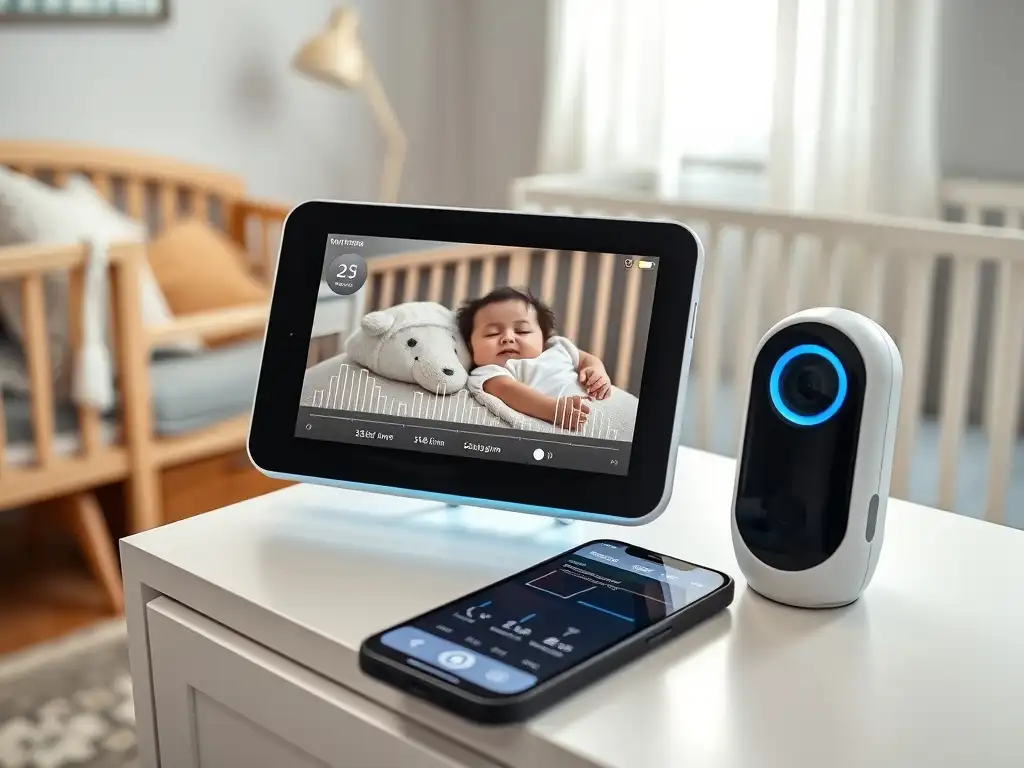
This section delves into practical strategies for maximizing the remote capabilities of your smart baby monitor, transforming it from a simple viewing device into a powerful tool for enhanced parental care. We'll explore advanced techniques to ensure you're always connected to your little one, regardless of your location. Optimizing these features is key to unlocking the full potential of your "baby monitor smart hacks".
Accessing Your Monitor Remotely from Anywhere
Reliable remote access is paramount. Many smart monitors offer this functionality through dedicated apps, but signal strength and network stability can sometimes be problematic. To ensure seamless connectivity, consider these tips:
- Optimize your home Wi-Fi: A strong, stable Wi-Fi signal is crucial. Invest in a router with good coverage, and consider using a mesh network for optimal performance, especially in larger homes. Avoid interference from other electronic devices. Regularly check your router's signal strength and consider relocating it if necessary for better baby monitor smart hacks.
- Utilize a Wi-Fi extender: If your monitor's location is far from your router, a Wi-Fi extender can significantly boost the signal strength, ensuring consistent remote access. This is especially important for parents who frequently move around the house.
- Test your connection regularly: Before relying on remote access during crucial moments, test the connection periodically to identify and resolve potential issues proactively. This prevents unexpected disruptions when you need it most.
- Consider a cellular backup: Some advanced smart baby monitors offer cellular backup in case your Wi-Fi connection fails. This provides an invaluable safety net, ensuring you maintain access even during internet outages. This is a powerful baby monitor smart hack for peace of mind.
- Understand your app's limitations: Familiarize yourself with your monitor's app's capabilities and limitations. Some apps might consume more data than others, impacting your mobile data usage.
Using Mobile Apps for Seamless Monitoring
Smart baby monitor apps are your gateway to remote viewing and control. Here's how to maximize their utility:
- Familiarize yourself with all features: Many apps offer features beyond basic video streaming, such as two-way audio, lullabies, temperature monitoring, and motion detection alerts. Explore all these features and customize them to your needs for optimal baby monitor smart hacks.
- Enable push notifications: Configure your app to send push notifications for critical events, like a baby's cry or unusual movement. This ensures you're promptly alerted even when you're not actively monitoring the screen.
- Adjust video quality settings: Balancing video quality with data consumption is key. Select the lowest resolution that still provides sufficient clarity, minimizing data usage and improving battery life on your mobile device. This is an important consideration for baby monitor smart hacks.
- Explore app-specific features: Different apps offer unique features. Some might allow you to record video clips or take screenshots, while others offer cloud storage for recorded footage. Explore the capabilities of your specific app to fully leverage its potential. This is a key element of baby monitor smart hacks.
- Regularly update your app: Keep your app updated to benefit from bug fixes, performance improvements, and new features. This ensures optimal functionality and security.
Sharing responsibility for monitoring your baby is often essential, especially for couples or those with family support. Here's how to effectively utilize multi-user access:
- Check your monitor's capabilities: Not all smart baby monitors support multi-user access. Confirm this feature is available before purchasing. This is crucial for implementing effective baby monitor smart hacks.
- Add users securely: Follow the manufacturer's instructions to securely add other users to your monitor's account. Ensure you use strong passwords and only add trusted individuals. Security should be a priority when employing baby monitor smart hacks.
- Define user roles and permissions: If your monitor allows, assign different roles and permissions to different users. This allows for customized access levels, ensuring privacy and security.
- Manage user accounts effectively: Regularly review and manage user accounts. Remove users who are no longer needed to maintain security.
- Communicate clearly with other users: Establish clear communication protocols among users, ensuring everyone understands their responsibilities and how to use the monitor effectively. This is a vital aspect of successful baby monitor smart hacks.
Implementing these smart baby monitor hacks will significantly enhance your monitoring experience, providing peace of mind and allowing you to better care for your little one. Remember to always prioritize safety and security when using these advanced features.
Smart Baby Monitor Hacks: Data Security and Privacy
Protecting your baby's privacy and the security of your smart baby monitor data is paramount. This section details crucial steps to ensure your peace of mind while leveraging the technology's benefits. Failing to take these precautions could expose sensitive information, potentially compromising your family's safety and well-being. Remember, a secure setup is the first step towards maximizing the utility of your smart baby monitor.
Securing Your Smart Baby Monitor Network
A robust network is the foundation of a secure smart baby monitor system. Many vulnerabilities stem from weak or improperly configured networks. Here's how to bolster your home network's security:
- Strong Passwords: Use long, complex passwords for both your Wi-Fi network and your baby monitor's administrative interface. Avoid using easily guessable passwords like "password123" or your birthdate. Consider using a password manager to generate and store strong, unique passwords. A password with a mix of uppercase and lowercase letters, numbers, and symbols is recommended.
- Regular Password Changes: Change your passwords regularly, ideally every three months, to mitigate the risk of unauthorized access.
- WPA2/WPA3 Encryption: Ensure your Wi-Fi router uses WPA2 or WPA3 encryption, the strongest security protocols available for Wi-Fi networks. Older WEP encryption is highly vulnerable and should be avoided.
- Firewall Protection: A firewall acts as a barrier, blocking unauthorized access attempts to your network. Enable the firewall on your router and consider adding a software firewall to your computer and other devices on the network.
- Regular Firmware Updates: Keep your router and baby monitor's firmware updated. These updates often include security patches that address known vulnerabilities. Check the manufacturer's website regularly for updates.
- Guest Network: If possible, create a separate guest network for visitors, keeping your baby monitor on your main secure network. This adds an additional layer of protection.
- Network Monitoring: While more advanced, consider using network monitoring tools to detect suspicious activity. These tools can alert you to unauthorized access attempts or unusual traffic patterns.
Understanding Data Encryption Protocols
Data encryption is crucial for protecting your baby's data from prying eyes. Here's what you need to know about encryption protocols used in smart baby monitors:
- HTTPS: Ensure your baby monitor app and the connection to the monitor itself uses HTTPS (Hypertext Transfer Protocol Secure). Look for the padlock icon in your browser's address bar. HTTPS encrypts the data transmitted between your device and the monitor, protecting it from interception.
- End-to-End Encryption: Ideally, your smart baby monitor should utilize end-to-end encryption. This means that only your device and the monitor can decrypt the data, preventing even the manufacturer or third parties from accessing it. Check your monitor's specifications to confirm the presence of this feature. This is a crucial aspect of "Baby monitor smart hacks" for data privacy.
- Data Storage: Understand where your baby monitor's data is stored. Is it stored locally on the device, in the cloud, or both? If it's stored in the cloud, research the provider's security practices and privacy policy. Look for companies with strong security reputations and transparent data handling policies.
Safeguarding Your Privacy Settings on the Monitor
Many smart baby monitors offer customizable privacy settings. Properly configuring these settings is essential for maintaining your family's privacy:
- Motion Detection: While helpful for alerts, excessive motion detection can lead to unnecessary data collection. Adjust the sensitivity according to your needs, avoiding overly sensitive settings that record unnecessary data.
- Audio Recording: Carefully consider the need for continuous audio recording. If you don't require constant monitoring, disable this feature to minimize data storage and potential risks.
- Cloud Storage: If your monitor offers cloud storage, carefully review the privacy policy of the provider. Understand how your data is used, stored, and protected. Consider the implications of data storage, especially concerning long-term privacy.
- Two-Factor Authentication (2FA): Enable 2FA whenever possible. This adds an extra layer of security, requiring a second verification method (like a code sent to your phone) in addition to your password.
- Account Management: Regularly review your account settings and connected devices. Remove any unauthorized devices or accounts to prevent unwanted access.
By implementing these smart baby monitor hacks and prioritizing data security and privacy, you can confidently use your smart baby monitor, knowing your baby's well-being and privacy are well-protected. Remember, proactive security measures are essential for a safer and more secure smart home environment.
Integrating Your Smart Baby Monitor with Other Smart Home Devices
Smart baby monitors are more than just listening devices; they're gateways to a more connected and convenient home ecosystem. By integrating your smart baby monitor with other smart home devices, you can create a truly seamless and responsive environment for your baby's care. This section explores several effective ways to leverage this technology for enhanced parental peace of mind and increased efficiency. Mastering these baby monitor smart hacks can significantly improve your daily routine and overall parenting experience.
Connecting Your Monitor to Smart Speakers for Audio Alerts
Imagine receiving real-time audio alerts from your baby's room without even needing to look at your phone. This is achievable by connecting your smart baby monitor to your smart speaker(s). Many modern monitors offer seamless integration with popular platforms like Alexa or Google Assistant. Once linked, you can configure custom alerts.
For example, you could set up an alert to trigger when your baby's cries exceed a certain decibel level or when motion is detected in the crib. This allows for a more hands-off approach while still maintaining awareness of your baby's needs. The audio quality varies depending on the monitor and speaker; however, most users report satisfactory clarity for detecting cries and other significant sounds. This is particularly beneficial during nighttime feedings or when you are in another room of the house.
Linking the Monitor with Smart Home Security Systems
Fortifying your home's security while simultaneously monitoring your baby is a crucial aspect of modern parenthood. Linking your smart baby monitor with your smart home security system offers an added layer of protection. While the specific integration methods differ based on the brands involved, the core principle remains consistent: a triggered alert from the baby monitor can simultaneously trigger your security system's recording or notification features. This means that if the monitor detects unusual sounds or activity, it can automatically activate your security cameras, potentially capturing valuable footage.
This integration provides a comprehensive security solution, ensuring both your baby's safety and the overall security of your home. The added benefit? A more complete picture of your home's activity, offering peace of mind beyond just your baby's well-being.
Utilizing Smart Home Automation for Routine Tasks (e.g., Lights)
Smart home automation takes the convenience of smart baby monitors to the next level. Imagine automatically dimming the lights in your baby's room at bedtime or turning on a nightlight based on the monitor's detection of movement or sound. This level of automation is achievable through careful programming and integration with smart lighting systems.
For instance, you can configure your system to trigger a gentle nightlight if the monitor detects your baby stirring during the night, reducing the need for you to manually intervene. Similarly, you could automate the dimming of lights at a specific time, creating a calming bedtime routine for your baby. This level of automation not only simplifies your daily routine but also contributes to a more consistent and predictable environment for your baby, promoting better sleep patterns.
Data suggests that consistent routines significantly improve infant sleep quality. This automation can be customized to suit your specific needs and preferences, creating a truly personalized smart home experience tailored to your baby's care.
Baby Monitor Smart Hacks: Troubleshooting Common Problems
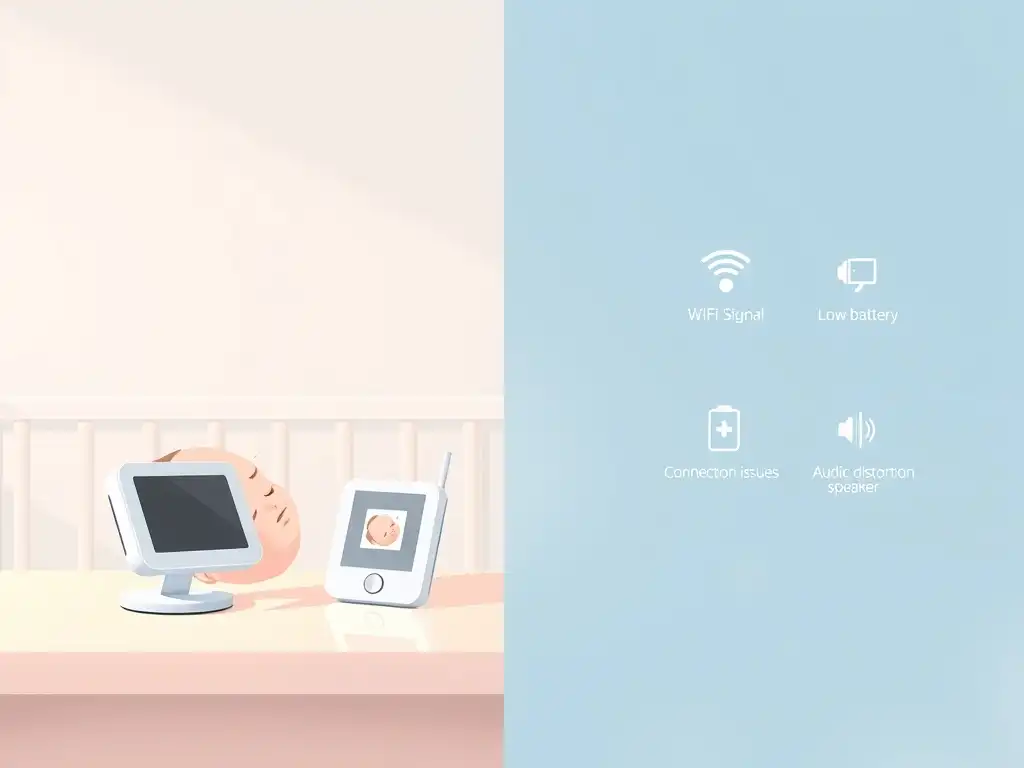
This section delves into practical solutions for common issues encountered with smart baby monitors, empowering you to maximize their functionality and keep a watchful eye on your little one. We'll cover troubleshooting steps, preventative maintenance, and tips for optimizing performance. Remember, a smoothly functioning smart baby monitor is crucial for peace of mind.
Addressing Connectivity Issues and Network Problems
Connectivity problems are a frequent frustration with smart baby monitors. These often stem from network issues, router problems, or even interference from other devices. Let's explore some effective strategies for resolving these glitches.
First, ensure your baby monitor is within the optimal Wi-Fi range of your router. Weak signals lead to dropped connections and choppy video streams. Try moving the monitor closer to the router or using a Wi-Fi extender if necessary. A strong, consistent signal is paramount for reliable monitoring.
Next, check your router's settings. Ensure that your baby monitor is connected to the 2.4 GHz band, as many smart monitors don't support the 5 GHz band. Also, verify that your router's firmware is up-to-date. Outdated firmware can sometimes cause compatibility issues. Restarting your router is also a simple yet effective troubleshooting step that often resolves temporary connectivity hiccups.
Finally, consider potential interference. Other electronic devices operating on the 2.4 GHz band, such as microwaves and cordless phones, can sometimes interfere with your baby monitor's signal. Try temporarily turning off these devices to see if it improves the connection. If the problem persists after these steps, contact your internet service provider or the manufacturer of your smart baby monitor for further assistance. Keeping detailed records of the troubleshooting steps you've taken will be helpful in this process.
Resolving Software Glitches and App Errors
Software glitches and app errors can disrupt the functionality of your smart baby monitor, making it unreliable. This section provides steps to troubleshoot these issues and maintain a seamless monitoring experience.
One common problem is app crashes or freezing. Try force-closing the app and restarting your smartphone or tablet. If the problem persists, check for app updates. Outdated apps can contain bugs that have been fixed in newer versions. Sometimes, clearing the app's cache and data can also resolve issues; however, be aware that this may require you to log back into the app and reconfigure some settings.
Another issue is slow loading times or unresponsive features. This could be due to insufficient device memory or a slow internet connection. Ensure your mobile device has ample free storage space and a stable internet connection. If your device is running low on memory, consider closing other apps running in the background.
In some cases, reinstalling the app may be necessary. This is a more drastic step, but it can resolve persistent software problems. Before reinstalling, back up any important settings or recordings if possible. Remember to consult the app's support documentation or the manufacturer's website for specific troubleshooting instructions. A well-maintained app is crucial for a reliable smart baby monitor experience.
Maintaining Your Smart Baby Monitor for Optimal Performance
Regular maintenance is key to ensuring your smart baby monitor operates reliably and provides consistently clear audio and video. Proactive maintenance minimizes the risk of malfunctions and extends the lifespan of your device.
Regularly cleaning the lens is crucial for maintaining optimal video quality. Gently wipe the lens with a soft, microfiber cloth. Avoid using harsh chemicals or abrasive materials that could scratch the lens. Dust and fingerprints can significantly reduce image clarity.
Keep the monitor’s firmware updated. Manufacturers regularly release updates that fix bugs, improve performance, and add new features. Check the manufacturer's website or app for updates and install them promptly. Up-to-date firmware ensures optimal functionality and security.
Finally, consider the location of your smart baby monitor. Avoid placing it in areas subject to extreme temperatures, direct sunlight, or excessive humidity. These environmental factors can negatively impact the device's performance and longevity. A well-maintained smart baby monitor provides consistent, reliable monitoring, giving you peace of mind. Following these simple maintenance tips will contribute to a long and trouble-free experience with your smart baby monitor, a key tool in providing safe and secure baby care.
This section delves into advanced techniques to maximize the utility of your smart baby monitor, going beyond the basic functionalities. We'll explore customization options, advanced monitoring features, and even potentially undocumented functionalities that can significantly enhance your baby's safety and your peace of mind. Remember, always consult your monitor's user manual before attempting any advanced settings adjustments. Improper configuration could compromise the device's functionality. These smart baby monitor hacks are designed to improve the user experience and aren't intended to circumvent safety protocols.
Exploring Customization Options and Settings
Many smart baby monitors offer a surprising level of customization. Don't just settle for the default settings! Take the time to explore the app and the monitor's interface thoroughly. For example, you can often adjust:
- Sound sensitivity: Fine-tune the audio sensitivity to reduce false alarms from minor noises. Experiment with different levels to find the optimal balance between responsiveness and minimizing unnecessary alerts. Too high a sensitivity can lead to constant notifications, while too low a sensitivity might miss crucial sounds.
- Video quality and resolution: While higher resolution consumes more bandwidth, it provides a clearer picture of your baby. Consider adjusting the video quality based on your internet connection and storage capacity. Lower resolutions can be useful for conserving data and extending battery life.
- Night vision settings: Optimize night vision for the best image quality in low-light conditions. Some monitors allow you to adjust the infrared intensity, improving visibility without overexposing the image.
- Motion detection zones: If your monitor has motion detection, you can usually customize the areas within the camera's view that trigger alerts. This prevents unnecessary alerts from movements outside your baby's crib or play area. This is a particularly useful baby monitor smart hack for reducing false alarms.
- Notification preferences: Customize which notifications you receive (e.g., sound, motion, temperature changes). This allows you to tailor the alerts to your preferences and avoid notification overload.
Consider creating a personalized profile for each caregiver, allowing for individual notification settings and preferences. This feature, often overlooked, significantly improves the user experience for families with multiple caregivers.
Utilizing Advanced Monitoring Features (e.g., temperature sensors)
Many modern smart baby monitors include advanced features beyond basic audio and video. Let's explore some examples:
| Feature | Benefit | Customization Options | Potential Issues |
|---|---|---|---|
| Temperature Sensor | Monitors room temperature for optimal comfort. | Setting temperature thresholds for alerts. | Inaccurate readings due to sensor placement. |
| Humidity Sensor | Monitors room humidity to prevent dryness or excess moisture. | Setting humidity thresholds for alerts. | Sensor calibration and accuracy variations. |
| Air Quality Sensor | Detects potential air pollutants. | Setting thresholds for alerts; choosing sensor type. | Sensor maintenance and calibration requirements. |
| Two-Way Audio | Allows you to soothe your baby remotely. | Adjusting microphone and speaker sensitivity. | Potential for feedback issues. |
Remember to regularly check the accuracy of these sensors and calibrate them as needed, according to the manufacturer's instructions. Proper sensor placement is crucial for accurate readings. For instance, placing the temperature sensor directly in the path of a heating vent might give a skewed reading.
Discovering Undocumented Features and Functionality
While not officially advertised, some smart baby monitors may possess undocumented features. These "hidden" functionalities often emerge through user experimentation and online communities. However, it's crucial to proceed with caution. Modifying settings beyond the documented parameters could void your warranty or even compromise the monitor's security.
Disclaimer: Exploring undocumented features is done entirely at your own risk. BabyCareHub does not endorse or guarantee the safety or functionality of any undocumented features.
Exploring online forums and user manuals meticulously can sometimes uncover unexpected settings or capabilities. However, always prioritize the official documentation and prioritize safety above any potential undocumented functionality. Remember, the primary goal is your baby's safety and well-being. Any baby monitor smart hack should enhance, not jeopardize, that goal.
Frequently Asked Questions
How can I improve my baby monitor's range?
Many factors affect range. Consider placing your monitor strategically to minimize interference from walls and electronic devices. You can also try a range extender for a weaker signal.
What are some creative uses for my baby monitor beyond baby watching?
Beyond baby watching, you can use it as a pet monitor, a security camera for other rooms, or even as a baby sitter for older children during playtime in another room.
Can I use my smart baby monitor to soothe my baby remotely?
Some smart monitors offer remote sound features like lullabies or white noise. Check your monitor's features to see if it supports remote soothing capabilities.
How can I ensure my smart baby monitor's security and privacy?
Always change the default password to a strong, unique one. Choose a monitor with robust encryption and regularly update the firmware. Consider disabling features you don't need.
What are some ways to troubleshoot a malfunctioning smart baby monitor?
First, check battery levels and power connections. Restart the monitor and ensure proper Wi-Fi connectivity. If problems persist, consult the manufacturer's troubleshooting guide or contact their support.
Final Reflection: Unlocking the Potential of Smart Baby Monitors
The seamless integration of technology into childcare is revolutionizing parental experience, and smart baby monitors are at the forefront of this transformation. These aren't just devices; they're vital tools offering peace of mind and enhancing the connection between parent and child in unprecedented ways. The hacks explored in this article aim to amplify this potential, moving beyond basic functionality to unlock a level of convenience and security previously unimaginable.
The impact of smart baby monitors extends far beyond simple observation; they're shaping a new era of parental engagement. They allow for a more proactive approach to childcare, enabling parents to respond swiftly to their child's needs, even from a distance. This constant connection fosters a stronger bond and reduces parental anxiety. The most important thing a father can do for his children is to love their mother.
– Theodore Hesburgh. While not directly about technology, this quote highlights the importance of the connection facilitated by these tools, allowing parents to focus more fully on their relationship and their child's well-being.
Consider the possibilities: Imagine the enhanced security, the personalized alerts, the ability to soothe your child remotely. These aren't just futuristic fantasies; they're readily available tools waiting to be mastered. You now possess the knowledge to transform your smart baby monitor from a simple device into a powerful ally in your parenting journey. Take the time to experiment with the hacks discussed, personalize your setup, and discover the unique ways these technologies can best serve your family's needs. Embrace the future of childcare – it's smarter, safer, and more connected than ever before.
Unlock Your Monitor's Full Potential!
Thank you for exploring these smart monitor tips! We hope you feel more confident and empowered to maximize your monitor's capabilities for a safer, more connected experience. Ready to put your newfound knowledge into action?
- Prioritize your child's safety: Immediately review your monitor's security settings and update its firmware to ensure optimal protection.
- Share your tips: Tell us about your clever monitor tricks! Share your insights in the comments below – we'd love to hear how you've adapted and improved your setup.
- Explore advanced features: Take some time to investigate any underutilized features, such as motion detection or temperature monitoring, to enhance your monitoring.
What's your favorite feature and how will you utilize it going forward?