
The App Store Jungle: Navigating the World of Baby Apps


Welcome to BabyCareHub, your ultimate guide to navigating the exciting (and sometimes overwhelming!) world of parenthood. Are you a first-time parent feeling lost in the sea of information available? Then you've come to the right place! We offer expert advice and practical support on everything from feeding schedules to soothing techniques. Discover which apps truly deliver on their promises in our in-depth article, "The App Store Jungle: Navigating the World of Baby Apps" – your essential resource for finding the best baby apps for newborn care. Let us help you confidently embrace this incredible journey!
- Best Baby Apps for Newborn Care: Finding the Right Tools for New Parents
- Best Baby Apps for Soothing and Engaging Newborns
- Baby App Safety and Screen Time Guidelines: Responsible App Usage
- Reviewing Popular Baby Apps: A Parent's Guide
- Beyond the Apps: Supplementing Digital Tools with Real-World Interaction
-
Frequently Asked Questions
- What makes a baby app truly "best" for newborn care?
- Are there free baby apps that offer comprehensive newborn care information?
- How can I be sure a baby app's information is accurate and safe?
- What types of features should I prioritize when choosing a baby app for my newborn?
- Can baby apps replace professional advice from pediatricians and other healthcare providers?
- Final Reflection: Cultivating Digital Wellness in the Cradle
- Unlock Your Baby's App Potential!
Best Baby Apps for Newborn Care: Finding the Right Tools for New Parents
Navigating the world of parenthood is a thrilling but often overwhelming experience. First-time parents are bombarded with advice, products, and information, and the digital landscape adds another layer of complexity. This article serves as your guide through the "app store jungle," helping you identify the best baby apps for newborn care that can genuinely support your journey.
Finding the right apps can streamline daily tasks, provide valuable information, and even offer a sense of community and support during those challenging first months. We'll explore various categories of baby apps, focusing on their usefulness for newborn care and emphasizing the importance of choosing age-appropriate content and mindful screen time.
This guide aims to empower you to make informed decisions about which tools will best support you and your little one's healthy development, ultimately helping you rank the best baby apps for newborn care based on your specific needs. Remember, the goal is to use technology to enhance, not replace, the precious moments of connection with your baby.
Choosing Age-Appropriate Baby Apps for Newborn Development
The key to successful app usage with newborns lies in selecting age-appropriate content. Newborns primarily benefit from interactive experiences that stimulate their senses. Avoid apps with excessive text or complex narratives. Instead, look for apps featuring:
- High-contrast visuals: Newborns have limited visual acuity, so bold colors and simple shapes are ideal.
- Soothing sounds and music: Calming melodies and nature sounds can help soothe and relax your baby.
- Interactive elements: Simple touch-and-play features can engage their curiosity and develop early motor skills.
- Short play sessions: Keep playtime brief (5-10 minutes) to avoid overstimulation. Remember, real-life interaction is far more crucial than screen time for newborns.
Many apps claim to be educational, but not all are created equal. Look for apps with a focus on sensory stimulation rather than premature academic learning. Remember, the goal during the newborn phase is to nurture a secure attachment and promote healthy development through real-world interactions. The best apps simply supplement, not replace, these essential experiences. Consider the following when evaluating an app's suitability: Does it provide a safe and stimulating environment? Is the content developmentally appropriate for a newborn?
Top Apps for Tracking Baby's Feeding, Sleep, and Diaper Changes
Tracking your baby's feeding, sleep, and diaper changes is crucial, especially in those early days when everything feels a little chaotic. Thankfully, several apps excel at simplifying this task. These apps often offer features such as:
| App Feature | Description | Benefits |
|---|---|---|
| Feeding Tracking | Logs feeding times, amounts, and type (breast milk, formula, etc.) | Helps identify feeding patterns and ensure adequate nutrition. |
| Sleep Monitoring | Tracks sleep duration, naps, and nighttime sleep | Helps establish a consistent sleep routine and identify potential sleep issues. |
| Diaper Change Tracking | Records diaper changes, noting wet or soiled diapers | Helps track bowel movements and identify potential health concerns. |
| Growth Chart Tracking | Tracks weight, height, and head circumference, often comparing to growth percentiles | Monitors growth and development, flagging potential issues to discuss with the pediatrician. |
| Vaccination Reminders | Provides reminders for upcoming vaccinations | Ensures your baby receives timely vaccinations. |
Many of these apps also generate reports and charts, allowing you to easily visualize your baby's progress and share this data with your pediatrician. This data can prove invaluable during your regular check-ups, making communication with your healthcare provider more efficient. Choosing an app with comprehensive tracking capabilities can significantly reduce parental stress and anxiety. However, remember that the app is a tool; your intuition and observation remain paramount.
Essential Apps for Monitoring Baby's Health and Development
While not a replacement for professional medical advice, certain apps can provide helpful information and tools to monitor your baby's health and development. These apps often include features like:
- Symptom checkers: These tools can help you assess your baby's symptoms and determine whether professional medical attention is needed. Remember, these are for informational purposes only and shouldn't replace a doctor's visit.
- Developmental milestones trackers: These apps list age-appropriate developmental milestones, allowing you to track your baby's progress and identify any potential delays.
- First aid guides: Some apps provide detailed information on basic first aid for infants, offering peace of mind in emergency situations. However, always prioritize contacting a medical professional in case of a serious incident.
- Medication reminders: If your baby requires medication, an app can help you remember to administer it on time.
It's crucial to remember that these apps should only be used as supplementary tools, and professional medical advice should always be sought for any health concerns. The information provided within these apps should not be interpreted as a substitute for a doctor's examination or diagnosis. Always consult with your pediatrician or healthcare provider for any questions or concerns regarding your baby's health. The responsible use of technology can support your parental journey, but it should never replace the expertise of trained medical professionals.
Best Baby Apps for Soothing and Engaging Newborns

Choosing the right apps for your newborn can feel overwhelming, given the sheer volume available. This section focuses on identifying best baby apps newborn care options categorized by age and functionality, helping you navigate the "app store jungle" with confidence. We'll explore apps designed for soothing, engaging, and stimulating your little one's development during their crucial early months. Remember, always prioritize safe and age-appropriate app usage, limiting screen time and ensuring parental supervision.
Calming Sounds and White Noise Apps for Baby Sleep
Newborns often struggle with sleep, and calming sounds can be a lifesaver for both parents and baby. Many apps offer a variety of white noise, nature sounds, and lullabies designed to create a relaxing environment conducive to sleep. The best apps in this category often feature:
- High-quality audio: Clear, crisp sounds without distracting background noise are crucial.
- Timer functionality: Allowing you to set a duration for the sounds, ensuring the app doesn't play all night.
- Variety of sounds: Offering a range of choices to find what works best for your baby. Some babies respond better to white noise, while others prefer rain sounds or ocean waves.
- Sleep tracking (optional): Some advanced apps include sleep tracking features, helping you monitor your baby's sleep patterns.
Consider factors like ease of use and intuitive interface, especially when you're sleep-deprived. Look for apps with simple controls and a clean design, minimizing distractions. Many free apps offer a basic selection of sounds, while paid versions often provide more extensive libraries and additional features. Remember to check user reviews to gauge the app's effectiveness and reliability.
Interactive Apps for Baby's Cognitive Development (0-3 Months)
During the first three months, a baby's cognitive development is primarily focused on sensory exploration. Apps designed for this age group should prioritize simple visuals, high-contrast colors, and engaging sounds. Avoid overly stimulating apps with flashing lights or rapid changes in imagery, which can be overwhelming for a young infant.
Instead, look for apps featuring:
- High-contrast images: Black and white or brightly colored patterns that are visually stimulating for newborns.
- Simple animations: Slow, gentle movements that capture attention without being overwhelming.
- Calming sounds: Gentle music or nature sounds that complement the visuals.
- Interactive elements: Simple touch-and-respond features that encourage engagement.
Remember, at this age, the focus is on sensory stimulation, not complex cognitive tasks. The goal is to create a positive and engaging experience that promotes early development. Short, frequent sessions are best, keeping screen time limited to avoid overstimulation. Always supervise your baby during app usage.
Educational Games and Activities for Babies (3-6 Months)
As your baby grows, their cognitive abilities develop rapidly. Apps for this age group can introduce basic concepts like shapes, colors, and numbers in an engaging and playful way. Look for apps that feature:
- Interactive games: Simple games that involve touching, swiping, or tapping the screen.
- Educational content: Introducing basic concepts like shapes, colors, and numbers in a fun and accessible way.
- Positive reinforcement: Rewarding your baby's interactions with positive feedback, sounds, or animations.
- Age-appropriate challenges: Gradually increasing the complexity of the games as your baby develops.
Examples might include apps with simple matching games, shape sorters, or interactive books. Always check the app's description to ensure it's appropriate for your baby's age and developmental stage. Remember to balance app usage with other forms of play and interaction, such as tummy time, reading, and singing. The best baby apps newborn care should complement, not replace, real-world interactions. Prioritize quality over quantity, selecting a few well-designed apps over a large number of less effective ones.
Baby App Safety and Screen Time Guidelines: Responsible App Usage

Navigating the digital world with your newborn can feel overwhelming, especially when choosing from the plethora of "best baby apps newborn care" available. While educational apps offer potential benefits, responsible usage is paramount to ensure your baby's well-being. This section focuses on establishing healthy screen time habits and mitigating potential risks associated with excessive app usage. Remember, the goal is to supplement, not replace, real-world interaction and development.
Setting Healthy Screen Time Limits for Infants
The American Academy of Pediatrics (AAP) recommends minimal to no screen time for children under 18 months, except for video chatting. For babies between 18 and 24 months, screen time should be limited and high-quality, focusing on interactive programs that engage the child directly. This translates to very short, carefully selected app sessions for infants. Think of short bursts of 5-10 minutes, followed by extended periods of playtime, interaction, and sensory exploration.
Consider these factors when setting screen time limits:
- Developmental Stage: Babies develop at different paces. Observe your baby's cues. If they seem disengaged or frustrated, it's time to end the session.
- App Content: Choose apps designed for infants, focusing on simple interactions, bright colors, and clear sounds. Avoid overly stimulating or complex apps.
- Your Involvement: Always supervise your baby during app usage. Interact with them, pointing out objects and narrating the app's content. This transforms passive screen time into an active learning experience.
- Alternative Activities: Balance screen time with plenty of tummy time, playtime, and social interaction. Remember, real-world experiences are crucial for development.
For babies over 24 months, gradually increase screen time, always prioritizing interactive, educational apps and maintaining a balanced schedule that includes physical activity and social interaction. Remember, even the "best baby apps newborn care" should be used judiciously. The emphasis should always be on fostering healthy development through diverse experiences.
Protecting Baby's Privacy in Educational Apps
Protecting your baby's privacy is crucial when using educational apps. Many apps collect data, and it's essential to understand what information is being gathered and how it's being used. Look for apps with transparent privacy policies and opt out of data collection whenever possible.
Here's how to safeguard your baby's privacy:
- Read Privacy Policies Carefully: Before downloading any app, thoroughly review its privacy policy. Look for clear statements about data collection practices, data retention periods, and data security measures.
- Check App Permissions: Pay close attention to the permissions requested by the app. Only allow access to features that are strictly necessary for the app's functionality. Avoid apps that request excessive permissions, especially those related to location, contacts, or microphone access.
- Choose Reputable Developers: Download apps from trusted sources like established app stores. Research the developer's reputation and check for user reviews that mention privacy concerns.
- Limit Personal Information: Avoid apps that require personal information about your baby, such as their full name, address, or date of birth. If an app requires such information, carefully consider whether the benefits outweigh the privacy risks.
- Regularly Review App Permissions: Periodically review the permissions granted to your installed apps and revoke any unnecessary access.
Recognizing Signs of App Overload in Babies
While educational apps can be beneficial, excessive screen time can lead to app overload, negatively impacting your baby's development and well-being. Recognizing the signs of app overload is crucial for maintaining a healthy balance.
Signs of app overload in babies can include:
- Irritability and Fussiness: Increased crying, whining, or difficulty settling down, especially after app usage.
- Sleep Disturbances: Difficulty falling asleep, frequent waking, or disrupted sleep patterns.
- Reduced Attention Span: Inability to focus on activities or toys, even those they previously enjoyed.
- Delayed Developmental Milestones: Slower progress in reaching developmental milestones compared to peers.
- Physical Symptoms: Eye strain, headaches, or digestive issues.
If you notice any of these signs, immediately reduce your baby's screen time and prioritize other activities that promote healthy development. Remember, the "best baby apps newborn care" are tools to supplement, not replace, real-world interaction and play. Prioritize face-to-face interaction, physical activity, and exploration of the world around them. Your baby's well-being should always be the top priority.
Reviewing Popular Baby Apps: A Parent's Guide
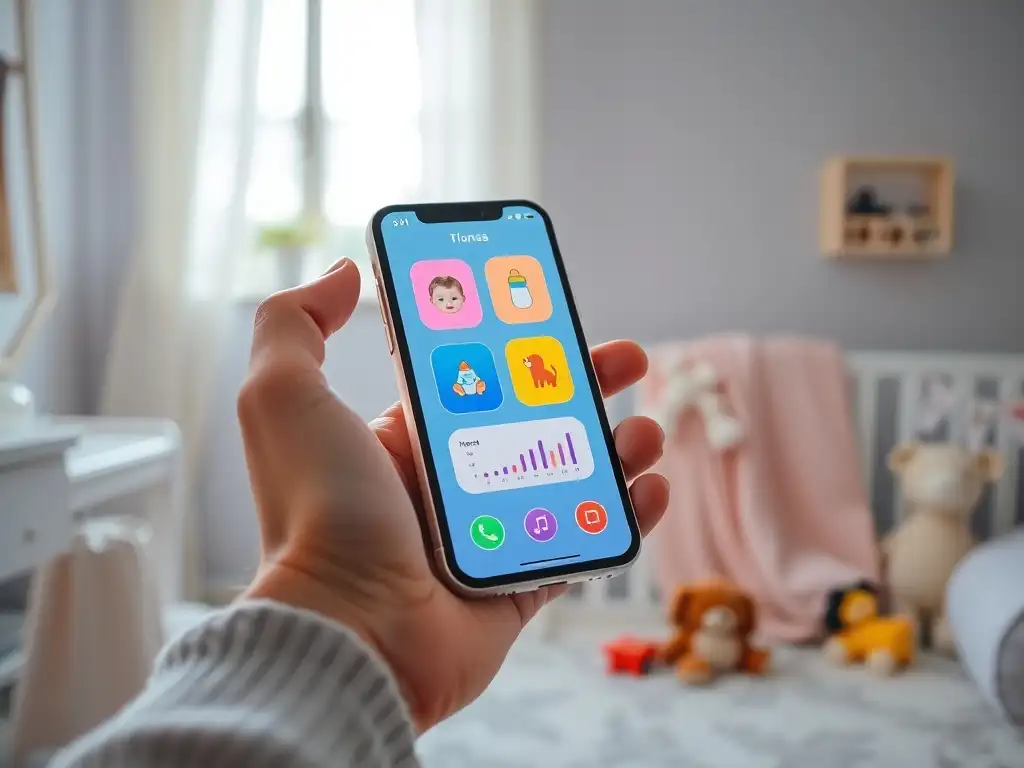
This section dives deep into the functionalities, advantages, and disadvantages of several popular baby apps frequently recommended for newborn care. Remember, while technology can be a helpful tool, responsible screen time management remains crucial for both parent and baby well-being. This review aims to equip you with the information needed to make informed decisions about which apps best suit your family's needs. We'll be focusing on apps frequently cited as some of the best baby apps for newborn care.
Baby Tracker: Features, Pros, and Cons
Baby Tracker apps, a cornerstone of digital parenting, offer a centralized platform to record vital baby information. These apps typically allow parents to log feeding times (breastfeeding or bottle), diaper changes, sleep patterns, and even developmental milestones. Some advanced versions even integrate with smart baby monitors.
Features: Most Baby Tracker apps boast a clean, intuitive interface designed for ease of use, even during those sleep-deprived moments. Common features include:
- Detailed logging of feeding sessions (duration, type, amount).
- Diaper change tracking (wet, soiled, or both).
- Sleep monitoring and analysis (sleep duration, wake-up times).
- Milestone tracking (first smile, first roll-over, etc. ).
- Growth chart integration (weight, height, head circumference).
- Vaccination tracking.
- Photo and video integration.
- Data export capabilities (for sharing with healthcare providers).
Pros: The organized nature of these apps can significantly reduce parental stress. Having all vital baby data readily available promotes better decision-making and facilitates communication with pediatricians. The ability to track patterns in feeding, sleeping, and diaper changes can also help identify potential issues early on. Many apps offer insightful reports and visualizations of your baby's progress.
Cons: Over-reliance on the app can lead to a disconnect from the baby's cues. Some parents find the constant data entry tedious, negating the intended stress reduction. Data privacy concerns should also be carefully considered before selecting an app. Finally, the app's features may not be relevant or useful to all parents.
White Noise Baby: Features, Pros, and Cons
White noise apps aim to soothe babies and improve sleep quality by generating calming sounds. These sounds, often mimicking the womb environment, can mask distracting noises and create a consistent auditory backdrop for better sleep.
Features: Most white noise apps offer a variety of sounds including:
- White noise
- Pink noise
- Brown noise
- Fan sounds
- Ocean waves
- Rain sounds
- Lullabies
Many apps also include timers, allowing parents to set a duration for the sound playback. Some advanced versions may offer customizable sound mixes or the ability to create playlists.
Pros: Many parents find that these apps significantly improve their baby's sleep. The consistent sounds can help to soothe a fussy baby and create a more peaceful sleep environment. The convenience of having these sounds readily available on a phone or tablet is also a significant advantage.
Cons: Overuse of white noise could potentially impact a baby's auditory development (although research on this is ongoing and inconclusive). The constant sound might also mask important cues, such as the baby crying for genuine distress. It's crucial to monitor your baby's response to the sounds and to adjust accordingly. Not all babies respond positively to white noise.
Hello Baby: Features, Pros, and Cons
Hello Baby apps, often encompassing a broader suite of features than simple trackers, typically combine several functionalities under one umbrella. They might include features from baby trackers, white noise generators, and even lullaby players.
Features: This will vary widely depending on the specific "Hello Baby" app (or similar branded apps), but could include:
- Baby monitor functionality (audio and sometimes video).
- Feeding and diaper tracking.
- Sleep tracking.
- Growth chart tracking.
- White noise and lullaby options.
- Photo and video storage.
- Developmental milestone tracking.
Pros: The all-in-one approach can be convenient for parents, eliminating the need to juggle multiple apps. Features are centralized, offering a streamlined experience.
Cons: The abundance of features might feel overwhelming to some parents. The quality of individual features might not be as polished as dedicated single-function apps. Privacy concerns, especially with apps offering video monitoring, must be carefully examined. There's a risk of app bloat and unnecessary features. Data security is paramount when using apps with access to sensitive baby information.
Remember to always prioritize your baby's safety and well-being. Use these apps as supportive tools, not replacements for direct interaction and observation. The best baby app for newborn care is the one that best fits *your* family’s needs and preferences.
Beyond the Apps: Supplementing Digital Tools with Real-World Interaction
The best baby apps for newborn care can be incredibly helpful, offering valuable information and engaging activities. However, it's crucial to remember that these digital tools should supplement, not replace, real-world interaction. Over-reliance on apps can hinder a baby's development and the crucial bonding process between parent and child. Think of apps as a helpful assistant, not the primary caregiver.
The Importance of Hands-On Play and Parent-Child Bonding
The first year of a baby's life is a period of explosive brain development. During this critical window, physical touch, face-to-face interaction, and responsive caregiving are paramount. While apps can provide visual stimulation, they can't replicate the warmth of a parent's touch or the nuanced communication that occurs during playtime. Consider these points:
- Tactile Exploration: Babies learn through touch. Exploring textures, shapes, and sizes with their hands and mouths is essential for sensory development. Apps, while visually stimulating, cannot replace the tactile experience of playing with real-world objects.
- Social-Emotional Development: Face-to-face interaction fosters social-emotional development. The back-and-forth exchange of smiles, coos, and gestures strengthens the parent-child bond and helps babies develop social skills. Apps, by their nature, limit this direct interaction.
- Language Acquisition: Reading aloud, singing songs, and engaging in conversations are crucial for language development. While some apps offer language learning features, they cannot replace the richness of human interaction and the emotional connection that comes with shared reading experiences.
- Secure Attachment: Consistent, responsive caregiving builds a secure attachment between parent and child, creating a foundation for emotional well-being throughout life. Over-reliance on apps can detract from this crucial bonding time.
Think of it this way: an app might teach your baby the names of different animals, but cuddling with a stuffed animal while you read a story about those animals creates a far richer and more meaningful learning experience. The combination of digital and hands-on engagement is ideal.
Balancing Screen Time with Real-Life Experiences for Optimal Development
The American Academy of Pediatrics recommends limiting screen time for children under 18 months, except for video chatting. For children aged 18-24 months, they suggest choosing high-quality programming and watching it with your child, turning it into an interactive experience. Beyond that, screen time should be carefully managed and balanced with other activities.
Here's a practical approach to balancing screen time with real-life experiences:
| Activity Category | Example Activities | Approximate Time Allocation (per day, flexible) | Notes |
|---|---|---|---|
| Hands-on Play | Tummy time, stacking blocks, playing with rattles, sensory bins | 60-90 minutes | Prioritize activities that stimulate multiple senses. |
| Parent-Child Interaction | Reading, singing, talking, cuddling, playing peek-a-boo | 30-60 minutes | Focus on responsive interaction and face-to-face communication. |
| Educational Apps (if used) | Age-appropriate apps focusing on learning, not entertainment | 15-30 minutes (total across all apps) | Choose high-quality apps with clear educational goals. Supervise closely. |
| Outdoor Time | Walks in the park, playing outside | 30-60 minutes (weather permitting) | Exposure to fresh air and nature is beneficial for overall development. |
Remember, the goal is to create a holistic environment that fosters your baby's development across all domains: physical, cognitive, social-emotional, and linguistic. While apps can be a useful tool, they should never replace the irreplaceable value of real-world interaction and the strong bond you build with your baby through direct engagement. 👶
Frequently Asked Questions
What makes a baby app truly "best" for newborn care?
The "best" app depends on your individual needs and preferences. Look for apps with reliable information, easy navigation, and features relevant to your baby's age and your parenting style. Consider user reviews and ratings.
Are there free baby apps that offer comprehensive newborn care information?
Yes, many apps offer free versions with basic features. However, full functionality or access to all content might require a subscription. Always check the app's pricing model before downloading.
How can I be sure a baby app's information is accurate and safe?
Look for apps developed by reputable sources like medical professionals or organizations. Check the app's privacy policy to ensure your data is protected. Reading user reviews can also provide insights into accuracy and safety.
What types of features should I prioritize when choosing a baby app for my newborn?
Prioritize features like sleep tracking, feeding logs, diaper changing records, and growth charts. Development trackers and health information sections are also valuable additions.
Can baby apps replace professional advice from pediatricians and other healthcare providers?
No, baby apps are supplemental tools, not replacements for professional medical advice. Always consult your pediatrician or other healthcare provider with any concerns about your baby's health or development.
Final Reflection: Cultivating Digital Wellness in the Cradle
The overwhelming abundance of baby apps available today underscores a crucial need for discerning selection and mindful usage. We've explored the vibrant, yet often chaotic, landscape of the app store, highlighting the potential benefits and pitfalls of digital tools in newborn care. The sheer volume of choices, however, necessitates a critical approach, ensuring that technology complements, rather than replaces, the essential human connection crucial for healthy development.
The impact of technology on early childhood is undeniable, shaping not only how we parent but also how our children interact with the world. This influence extends beyond mere convenience; it shapes cognitive development, sleep patterns, and even the parent-child bond.
>“The digital world is a powerful force, and we must be intentional in how we use it to nurture, not overwhelm, our children.” This quote encapsulates the core message of this exploration: responsible technology integration is key to harnessing its potential for good. We must remain vigilant, constantly evaluating the apps we use and their impact on our little ones.
Consider, then, the apps you use. Do they truly enhance your parenting journey, or do they add unnecessary stress and distraction? Take a moment to reflect on your digital habits and the message you're sending to your child through your technology use. Prioritize meaningful interactions, embrace the beauty of the present moment, and remember that the most valuable tools in newborn care remain the warmth of your touch, the sound of your voice, and the unwavering love you provide. Let's cultivate a digital wellness that nurtures both parent and child, creating a harmonious blend of technology and tender care.
Unlock Your Baby's App Potential!
Thank you for exploring the world of baby apps with us! We hope you found helpful information to guide you in selecting the perfect digital tools for your little one. Now, let's put that knowledge to use.
- Download your favorite apps: Take some time to download the apps that most appealed to you from the article. Experiment with them to see which best suit your and your baby's needs. This is the key to finding the ideal apps for your family!
- Share your app discoveries: Tell your friends and family about the wonderful apps you've discovered—help other parents navigate the world of baby apps!
- Share your feedback: Which app recommendation from the article was your favorite, and why? Let's build a supportive community of parents who are knowledgeable about helpful apps!
Ready to enhance your parenting journey with the power of helpful apps?